• Skip to primary navigation
  • Skip to main content
  • Skip to primary sidebar

QTOOTH

News & Reviews for Living with Bluetooth Wireless

  • Reviews
    • Wearable
    • Gaming
    • Health & Fitness
    • Home & Office
  • How To Tips
  • Industry News
  • About QTOOTH

Home & Office

My Adventures with the BolaButty X-GO: A Portable Bluetooth Speaker Review

2024-06-18

woman enjoying using bolabutty x-go portable bluetooth speaker review

Let’s be honest, the name “BolaButty” throws you for a loop. Who? But if you haven’t noticed, one of the aims at QTOOTH is to do thorough reviews of the left-of-center brands that just might give the big name brands a run for their money. But hey, don’t judge a book by its cover, or in this case, a speaker by its name. I recently snagged a BolaButty X-GO portable Bluetooth speaker, and after jamming out to tunes for weeks, I’m here to share my experience. Buckle up for a breakdown of the good, the bad, and the surprisingly groovy with this little audio companion.

womans hand operating controls of bolabutty x-go portable bluetooth speaker review

Pros:

  • Pocket Rocket of Sound: Don’t let the X-GO’s compact size fool you. This speaker packs a punch. I was pleasantly surprised by the volume it can achieve. It easily filled my apartment with clear, crisp audio, and even held its own during a backyard barbecue. Here’s the kicker: for its price point, the X-GO delivers impressive sound quality.
  • Marathon Battery Life: One of the biggest wins for the X-GO is its battery life. The advertised 24 hours is no joke. I used it for hours on end during hikes, pool parties, and even just lounging around the house, and it never died on me prematurely. This is a huge selling point for anyone who wants a speaker that can keep up with their adventures, no matter how long they last.
  • Built for the Elements: Life throws things your drink spills, surprise downpours – you name it. The X-GO’s IPX5 waterproof rating gives you peace of mind. I accidentally splashed it a few times, and it kept on pumping out the tunes without a hitch. While I wouldn’t recommend submerging it, it can definitely handle the occasional splatter.

Cons:

  • Bass – Not Its Forte: If you’re a bass head, the X-GO might leave you wanting more. The sound leans towards the treble and mids, which is great for most genres, but bass-heavy music can feel a little thin.
  • Buddy System Required (Optional): The X-GO is fantastic on its own, but it has a hidden feature: TWS pairing. This lets you connect two X-GO speakers for a stereo experience. While cool, it requires buying another speaker, which bumps up the overall cost.
  • Minimal Manual: The included user manual is…sparse. It lacks detailed instructions for some functions, and the broken English doesn’t exactly inspire confidence. Thankfully, there are some helpful tutorials online, but this could be a hurdle for non-tech-savvy users.
button controls of bolabutty x-go portable bluetooth speaker labeled review

Conclusion:

The BolaButty X-GO might have a funny name, but it’s a surprisingly competent portable Bluetooth speaker. It’s small, loud, boasts fantastic battery life, and can handle a little water. While the bass might not blow you away, and the controls take some practice, the overall value for the price is hard to beat. If you’re looking for a portable speaker for everyday adventures, the X-GO is a solid choice.

line-in and charging port lableled of bolabutty x-go portable bluetooth speaker labeled review

Bonus Round: Who is the X-GO For?

This speaker is perfect for:

  • The Budget-Conscious Audiophile: You get great sound quality at a very affordable price.
  • The Weekend Warrior: The long battery life and IPX5 rating make it ideal for hikes, camping trips, and poolside lounging.
  • The Minimalist: The compact size makes it easy to throw in your bag and go.
bolabutty x-go portable bluetooth speaker review showing available in multiple color options

Final Verdict on the BolaButty X-GO:

The BolaButty X-GO might not be perfect, but it punches above its weight class. It’s a reliable, portable speaker that delivers great sound and impressive battery life for the price. So, if you can get past the name, the X-GO might just become your new go-to audio companion.

Filed Under: Entertainment, Home & Office, Reviews

Living with the TP-Link UB500: A Bluetooth Believer’s Review

2024-06-11

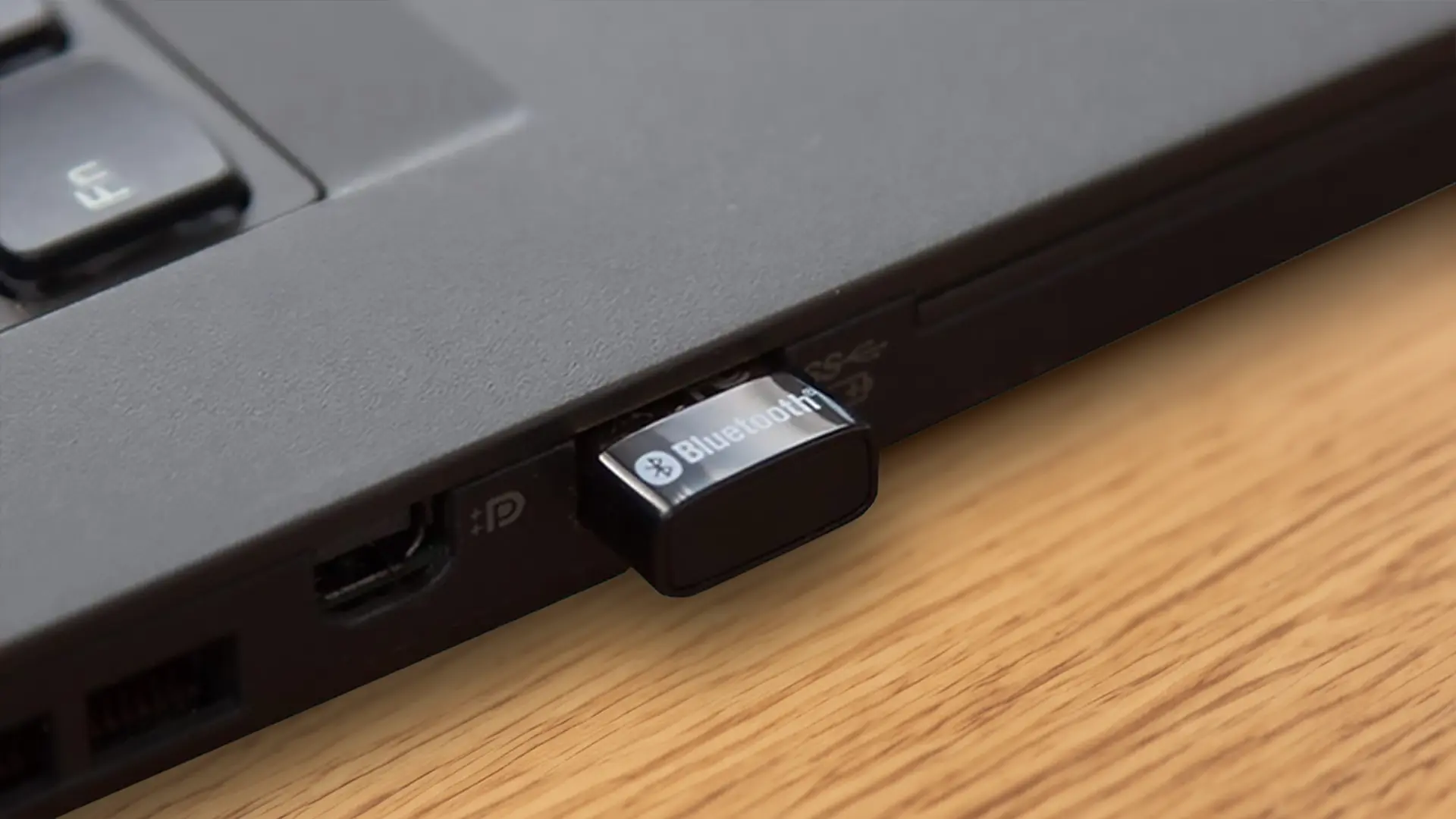
tp-link usb bluetooth adapter for pc bluetooth 5 dongle review use case inserted in laptop usb port

For years, my desktop PC was a lonely island in a sea of Bluetooth connectivity. My laptop and phone happily danced with wireless headphones and speakers, but my desktop remained stubbornly tethered by wires. Enter the TP-Link UB500, a tiny Bluetooth adapter promising to bridge that wireless gap. After a month of using it for everything from music streaming to video conferencing, here’s my verdict:

Unboxing and First Impressions

The TP-Link UB500 comes in a compact, no-frills package. Inside, you’ll find the adapter itself, a tiny black and gold device barely bigger than your thumb, and a short user manual. The size is both a blessing and a curse. On the plus side, it’s incredibly portable and won’t block neighboring USB ports. On the downside, its small stature makes it easy to misplace on a cluttered desk.

Setting Up: A Breeze

Thankfully, setting up the UB500 is as simple as plugging it into a USB port. Windows 10 automatically recognized the device and installed the necessary drivers. Within seconds, I was presented with a list of available Bluetooth devices. Pairing my headphones was a smooth process, and I was soon enjoying crisp, clear audio without any noticeable lag.

tp-link usb bluetooth adapter for pc bluetooth 5 dongle review main view

Everyday Use: A Mixed Bag

Here’s where my experience gets a bit more nuanced. Let’s break it down into the good, the bad, and the unexpected:

Pros:

  • Strong, Stable Connection: The Bluetooth 5.0 technology delivers a reliable connection with good range. I was able to freely move around my house (admittedly, not a mansion) without any audio dropouts while using my Bluetooth headphones.
  • Small and Unobtrusive: The tiny size is a major plus. It disappears into the back of my PC and doesn’t cause any visual clutter.
  • Plug-and-Play Simplicity: For the most part, the UB500 lives up to its claim of being plug-and-play. Windows handled driver installation seamlessly, and pairing devices was a breeze.

Cons:

  • Driver Quirks: While initial setup was smooth, I did encounter some hiccups when trying to connect a Bluetooth controller. The automatic driver installation didn’t seem to work, and I had to download the drivers from TP-Link’s website to get it functioning properly.
  • Limited OS Support: Be aware that the UB500 is officially only supported on Windows 7 and up. If you’re using a different operating system, you might be out of luck.
  • Uncertain Long-Term Reliability: It’s still a bit early to say for sure, but I did experience a couple of instances where the Bluetooth connection dropped unexpectedly. These were brief hiccups, but they raise some questions about the adapter’s long-term stability.

Beyond the Basics: Exploring the Range

TP-Link advertises the UB500’s extended range, but I wanted to put it to the test. With my headphones on, I walked around my house, venturing further and further from my PC. The connection held strong for a surprising distance, even reaching through walls and down a flight of stairs before finally stuttering and dropping completely. While the exact range will vary depending on your environment, it definitely surpassed my expectations for a small USB adapter.

tp-link usb bluetooth adapter for pc bluetooth 5.0/5.3 dongle review showing device inserted in laptop port

Conclusion: A Promising Budget Option with Caveats

The TP-Link UB500 is a solid Bluetooth adapter for the price. Its small size, ease of use, and strong connection make it a compelling option for anyone looking to add Bluetooth functionality to their desktop PC. However, the limited OS support and occasional driver quirks might be dealbreakers for some users. If you’re a casual user on Windows who needs a simple solution for connecting headphones or speakers, the UB500 is a great choice. But for power users or those on different operating systems, it might be worth considering a more robust adapter with broader compatibility.

Overall, I’d give the TP-Link UB500 a 5 out of 5 stars.

In closing, The TP-Link UB500 is a decent Bluetooth adapter that punches above its weight in terms of size and range. With a little more polish on driver compatibility, it could be an even more attractive option for budget-minded Bluetooth seekers.

Filed Under: Home & Office, Reviews

Review of the ZERU Bluetooth Mouse: Reliable but Unremarkable

2024-06-04

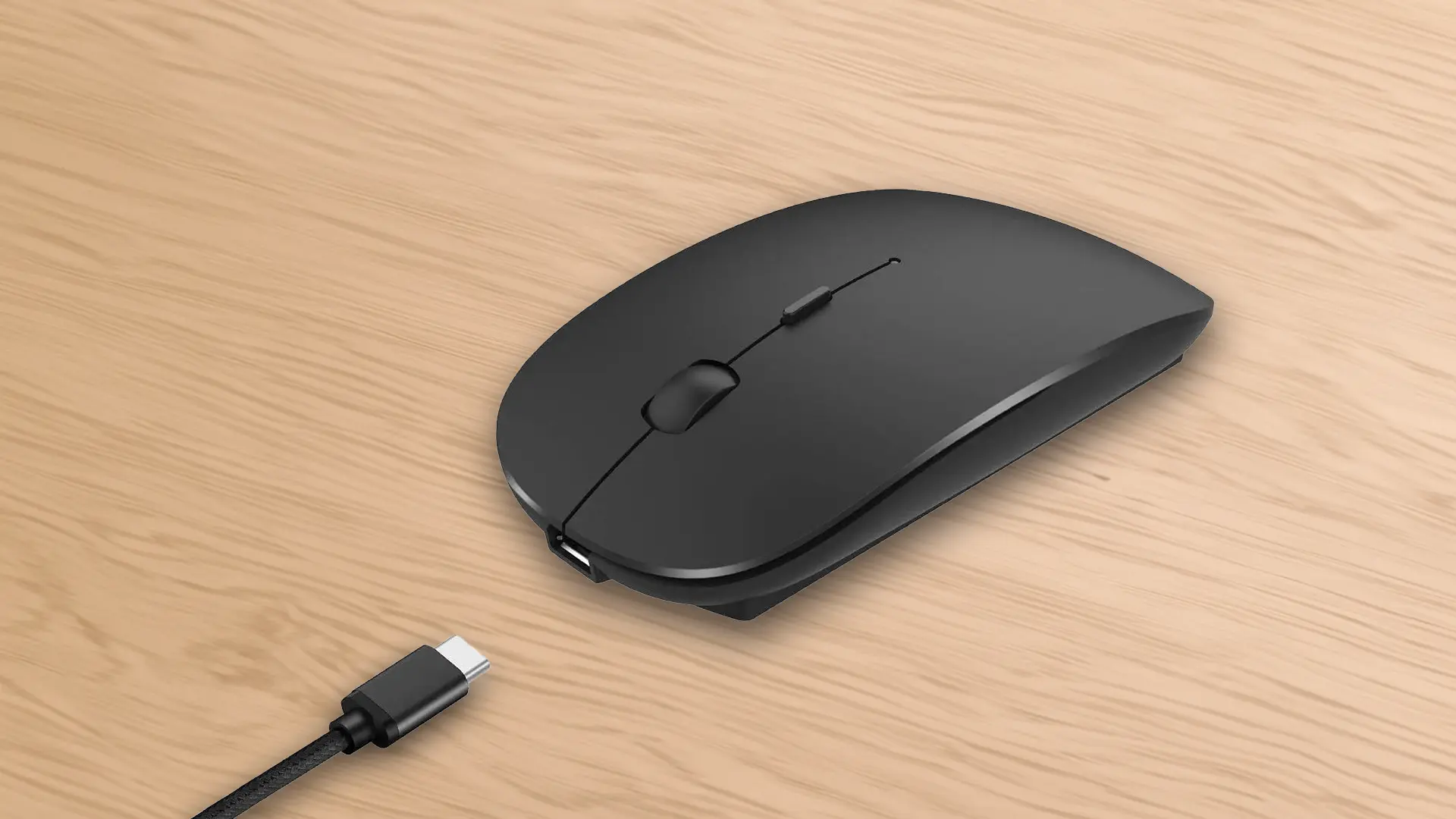
zeru bluetooth mouse rechargeable wireless mouse showing main view with charging cable

For the past month, I’ve been using the ZERU Bluetooth Mouse, Rechargeable Wireless Mouse as my daily driver. As a freelance writer who bounces between cafes and co-working spaces, a dependable and portable mouse is crucial for my productivity. Here’s a breakdown of my experience with the ZERU, touching on its strengths, weaknesses, and whether it ultimately fits the bill for mobile workers like myself.

Pros:

  • Wireless Freedom with Bluetooth Connectivity: This mouse cuts the cord, quite literally. Pairing with my laptop was a breeze – just a quick trip to the Bluetooth settings and I was up and running. The connection itself has been rock solid throughout my use, with no drop-offs or lag even several meters away from my laptop. Having this cable-free convenience has been a welcome change, especially when dealing with cluttered desks at co-working spaces.
  • Long-lasting Battery Life: One of the biggest advantages of the ZERU is its impressive battery life. The included rechargeable battery boasts up to 500 hours of usage on a single charge, and my experience aligns with that claim. I’ve been using it for weeks now with only moderate charging required. This is a huge plus for someone who forgets to pack a charger every now and then. No more scrambling for batteries or worrying about the mouse dying mid-workstream.
  • Silent Clicks for a Peaceful Work Environment: A small but significant detail for me is the silent click design. The buttons have a soft, tactile feel that registers clicks without the usual annoying clicking noise. This has been a game-changer when working in shared spaces or late at night when I don’t want to disturb others.
zeru bluetooth mouse rechargeable wireless mouse showing multiple color options

Cons:

  • Basic Design Lacks Ergonomic Comfort: While the ZERU is functional, its design feels uninspired. The plastic body is lightweight but feels a bit cheap, and the shape isn’t particularly ergonomic. After extended use sessions, my hand started to feel a bit strained. For those who spend long hours working on their computers, a more contoured design would be a significant improvement.
  • Limited DPI Options: The ZERU offers a basic 1600 DPI resolution, which is sufficient for everyday tasks and browsing. However, for creative work like graphic design or video editing, a higher DPI option would provide more precise cursor control. If you need a mouse for such applications, the ZERU might not be the most suitable choice. (Perhaps something like the Logitech G305)
  • Inconsistent Scroll Wheel: The scroll wheel is another area where the ZERU falls short. The scrolling motion can feel jerky at times, and it lacks the smooth, tactile feel of higher-quality mice. This can be frustrating when navigating through long documents or web pages.

Conclusion:

The ZERU Bluetooth Mouse is a decent option for casual computer users or those on a tight budget. Its reliable Bluetooth connection, long battery life, and silent clicks make it a suitable choice for working on the go. However, its uninspired design, limited DPI options, and inconsistent scroll wheel hold it back from being a top contender.

For mobile workers who prioritize comfort and precision during extended use sessions, I would recommend looking for a mouse with a more ergonomic design and a wider range of DPI options. However, if you’re looking for a basic, no-frills wireless mouse for everyday tasks, the ZERU is a functional and affordable option.

Filed Under: Home & Office, Reviews

Working from Home with the Poly Plantronics Voyager 5200: A Remote Worker’s Review

2024-05-28

poly 5200 plantronics 5200 bluetooth headset review showing woman wearing device in office setting

The transition to working from home has been an adjustment for many, and finding the right equipment to optimize your workspace is crucial. For me, a key element was a reliable Bluetooth headset. After months of research I opted for the Poly Plantronics Voyager 5200. Here’s a detailed breakdown of my experience using it specifically in a home office environment.

poly 5200 plantronics 5200 bluetooth headset review main view

Setting Up and First Impressions

The Voyager 5200 arrived in a sleek, compact box containing the headset itself, a charging case, a couple of ear tips in different sizes, and a USB-C charging cable. The headset itself is lightweight and feels comfortable in your hand. The design is minimalist, with a black, curved earpiece and a small control panel that sits discreetly behind your ear. Pairing it with my laptop was a breeze – it connected instantly via Bluetooth and the process was intuitive.

poly 5200 plantronics 5200 bluetooth headset review showing how to swap fitted ear pieces

Sound Quality: Crystal Clear Calls and Surprisingly Good Audio

One of the biggest concerns I had with a single-ear headset was sound quality for calls. Let me assure you, the Voyager 5200 delivers. The four-microphone noise-canceling system is exceptional. Background noise like chatter from family members or the rumble of the washing machine completely faded away during calls. My voice was consistently picked up clearly, even on days when the mailman decided to have a shouting match with a neighbor’s dog.

On the receiving end, audio was equally impressive. Voices came through crisp and natural, and I could easily understand colleagues on calls that lasted for hours. I wasn’t expecting much in terms of music or media consumption with a single earpiece, but I was pleasantly surprised. The Voyager 5200 does a commendable job of delivering rich, balanced audio for listening to podcasts or audiobooks while working. It won’t replace your high-fidelity headphones, but it’s definitely passable for casual listening.

poly 5200 plantronics 5200 bluetooth headset-review showing device recharging in case

Comfort and Battery Life: A Balancing Act

Comfort is subjective, but I found the Voyager 5200 to be generally comfortable for extended periods. The included ear tips come in a few sizes, and finding the right fit is key to achieving a secure and comfortable position. However, after a few hours of wear, I did experience some mild fatigue around my ear, likely from the pressure of the earpiece. Taking short breaks helped alleviate this.

Battery life is another area where there’s a trade-off. The headset itself boasts a respectable six hours of talk time on a single charge, which is enough for most workdays. The charging case provides an additional 14 hours, bringing the total usable time to a very decent 20 hours. However, the charging case itself is a bit bulky and feels a little cheap compared to the overall quality of the headset.

Special Features: A Mixed Bag

The Voyager 5200 boasts a few additional features that are worth mentioning. A dedicated button on the control panel allows you to activate your smartphone’s virtual assistant (Siri, Google Assistant etc.), which is a handy perk for hands-free control. The headset also announces the names of incoming callers, and you can even answer or ignore calls with your voice commands – although I found this feature to be a bit finicky and not always reliable.

poly 5200 plantronics 5200 bluetooth headset review showing man wearing device in office setting

Three Pros and Three Cons: Weighing the Options

Pros:

  • Superb Call Quality: The noise-canceling microphone ensures crystal-clear calls, even in noisy environments.
  • Surprisingly Good Audio: While not designed for audiophiles, the Voyager 5200 delivers surprisingly good sound for listening to podcasts or audiobooks.
  • Long Battery Life: With a combined 20 hours of usable time between the headset and charging case, you won’t have to worry about running out of juice in the middle of the workday.

Cons:

  • Comfort for Extended Use: The single-ear design can lead to some fatigue around the ear after a few hours of wear.
  • Bulky Charging Case: The charging case feels a bit bulky and cheap compared to the overall quality of the headset.
  • Unreliable Voice Controls: The voice controls for answering and ignoring calls were not always responsive.
poly 5200 plantronics 5200 bluetooth headset review-showing device in charging case

Conclusion: A Worthy Investment for Most Home Offices

After several months of using the Poly Plantronics Voyager 5200 in my home office, I can confidently recommend it to most remote workers. The exceptional call quality and surprisingly good audio make it a great choice for communication and light entertainment. The long battery life ensures you won’t be scrambling for a charger throughout the day. While comfort for extended wear and some of the voice controls could be improved, these drawbacks are outweighed by the headset’s strengths. If you’re looking for a reliable, high-performing headset the Poly Plantronics Voyager 5200 would make a great choice.

Filed Under: Headsets, Home & Office, Mobile, News, Reviews, Wearable

A Minimalist’s Dream: A Review of the Arteck Ultra-Slim Bluetooth Keyboard

2024-05-21

arteck ultra slim bluetooth keyboard review closeup view showing available black or white colors

As someone who constantly battles desk space real estate, the Arteck Ultra-Slim Bluetooth Keyboard has been a revelation. It’s the Marie Kondo of keyboards – sleek, functional, and taking up minimal space. But like any relationship, it’s not without its quirks. Here’s a breakdown of my experience with this ultra-thin offering from Arteck.

arteck ultra slim bluetooth keyboard review main view in black

Three Things I Love About the Arteck Ultra-Slim

  • Super Slim and Lightweight: The Arteck Ultra-Slim keyboard is shockingly thin. Most of the unit is under a quarter of an inch thick, so it feels more like a notepad than a traditional keyboard. The rear section of the Arteck Ultra-Slim is about three times the thickness as it contains the battery compartment which doubles as a prop to give the keyboard a slight angle which improves the comfort level while typing. This makes it incredibly portable and perfect for tossing into a bag or backpack without feeling weighed down. Paired with its light weight, it’s become my go-to keyboard for coffee shop writing sessions or working on the go.
  • Clean and Minimalist Design: I’m a sucker for clean aesthetics, and the Arteck Ultra-Slim delivers. It is available in either black or white and is both stylish and feels very premium. The keys themselves are low-profile and chiclet-style, which some may find odd at first, but I grew accustomed to them quickly. They offer a satisfyingly quiet typing experience, which is a major plus for anyone who shares their workspace with others (or who likes to write in complete silence).
  • Fast and Easy Device Pairing: One of the features I find most useful is the ability to effortlessly switch between my laptop, tablet, and even my phone with ease. This makes it a dream for someone who juggles multiple devices throughout the day, like myself.

Three Things to Consider before Buying the Arteck Ultra-Slim

  • Getting Used to the Low-Profile Keys: As mentioned before, the low-profile chiclet-style keys might take some getting used to for those accustomed to a more traditional keyboard. The key travel is minimal, and some users might find it lacks the satisfying clickiness of a mechanical keyboard. For me, it took a few days to adjust, but now I barely notice the difference.
  • Limited Functionality Keys: The Arteck Ultra-Slim keeps a very minimalist profile, and this sometimes comes at the cost of functionality. While the basic function keys (volume control, brightness, etc.) are present, some additional controls require using the Fn key combination, which can slow down workflow. For instance, there’s no dedicated key for functions like Delete or Home, which can be a minor annoyance.
  • Battery Life Could Be Better for a Non-Rechargeable Device: While Arteck advertises a long battery life, they advertise an energy-saving design with automatic sleep mode allowing up to 4 months between battery changes (based on 2 hours’ non-stop use per day), my experience has been mixed. The unit ships with the required 2 AAA batteries that lasted pretty well, but sometimes the replacement batteries I’ve used, like the Energizer Max Alkaline or the Amazon Basics Alkaline High-Performance, I’ve needed to swap the batteries more often than I’d like, especially with extended use times. It’s not a dealbreaker, but it is something to keep in mind, especially for those who travel frequently.
arteck ultra slim bluetooth keyboard review displaying use with ios ipad tablet

The Verdict: A Keyboard for the Minimalist on the Move

Overall, the Arteck Ultra-Slim Bluetooth Keyboard is a great option for minimalists and those who prioritize portability. Its sleek design, lightweight build, and multi-device pairing make it a perfect companion for those who work from coffee shops or travel frequently. However, those who prefer a more traditional typing experience with dedicated function keys and a bit more key travel might want to look elsewhere.

For me, the pros outweigh the cons. The portability and ability to switch seamlessly between devices make it a perfect fit for my work style. While I would love a slightly longer battery life and some dedicated function keys, the overall design and functionality win me over. If you’re looking for a slim, stylish, and portable keyboard that won’t weigh you down, then the Arteck Ultra-Slim Bluetooth Keyboard is definitely worth considering.

Filed Under: Home & Office, Mobile, Reviews

Echo (4th Gen) Smart Speaker: Solid Sound, Needs Refining

2024-05-14

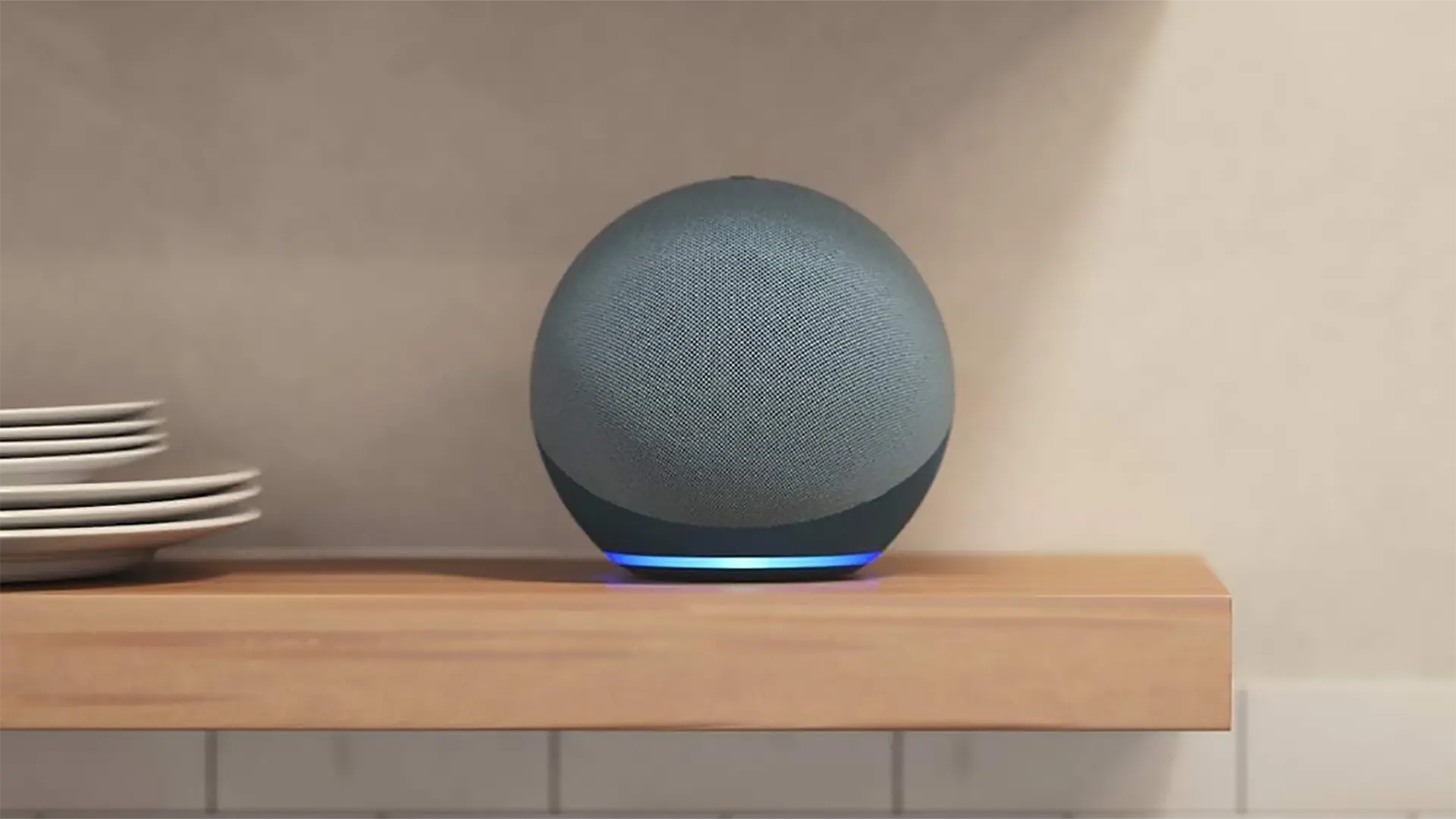
amazon echo 4th generation review with lexa main view twilight blue on kitchen shelf

For the past month, I’ve been living with the Amazon Echo (4th Gen) in my home, using it for everything from blasting music while I cook to checking the news in the morning. Here’s a breakdown of my experience, the good, the bad, and the bottom line.

amazon echo 4th generation review with lexa main view twilight blue in living room

The Good

  • Surprisingly powerful sound: Don’t let the spherical design fool you. The Echo (4th Gen) packs a punch. The bass is surprisingly deep and the treble is clear, filling my living room with rich audio. Whether I’m listening to hip-hop tracks or classical concertos, the Echo delivers a well-rounded sound that’s impressive for its size.
  • Smart home hub with future-proof connectivity: Beyond the audio quality, the Echo (4th Gen) shines as a smart home hub. It seamlessly integrated with my Zigbee-compatible smart lights and plugs, allowing for voice-controlled automation. Plus, with built-in support for the new Matter standard, the Echo seems well-positioned for the future of smart home connectivity.
  • Alexa is generally helpful, with some quirks: Living with Alexa has its perks. Setting alarms, adding items to shopping lists, and controlling the lights are all a breeze with simple voice commands. The voice recognition is excellent, picking up my requests even from across the room. However, there have been occasional stumbles. Sometimes Alexa misinterprets instructions, especially when there’s background noise.
amazon echo 4th generation review with lexa available in 3 colors-twilight blue glacier white charcoal
Echo 4th generation is available in 3 colors: twilight blue. glacier white and charcoal

The Not-So-Good

  • Not truly portable: Despite its spherical design, the Echo (4th Gen) is chained to the wall by its power cord. There’s an optional battery base that unlocks portability, but it’s an extra cost. This makes the Echo less versatile than some true Bluetooth speakers that offer on-the-go listening.
  • Limited high-fidelity options: While the sound quality is good for casual listening, audiophiles might be left wanting. The Echo doesn’t support high-fidelity codecs like FLAC or aptX, which are common in higher-end Bluetooth speakers. Music streaming is limited to the quality offered by services like Spotify or Apple Music.
  • Alexa can feel intrusive at times: Let’s face it, a constantly listening device can feel a bit intrusive at times. While there’s a mute button, it can be easy to forget to engage it. There have been instances where I’ve caught myself whispering to avoid setting Alexa off unintentionally.
amazon echo 4th generation review with lexa main view charcoal in kitchen

The Verdict

The Amazon Echo (4th Gen) is a compelling smart speaker with a lot to offer. The audio quality is impressive for its size, and its functionality as a smart home hub is excellent. However, the lack of true portability and limited high-fidelity options might be dealbreakers for some. Ultimately, the Echo (4th Gen) strikes a balance between smart home convenience and decent audio quality, making it a solid choice for those looking for an all-in-one solution. But if portability or pristine sound are your top priorities, you might need to look elsewhere.

Filed Under: Entertainment, Home & Office, Reviews

  • Page 1
  • Page 2
  • Page 3
  • Interim pages omitted …
  • Page 7
  • Go to Next Page »

Primary Sidebar

Affiliate Disclosure

This website uses affiliate programs for monetization. At no additional cost to you, links to various sites mentioned in posts may result in a commission that is credited to this site if you make a purchase.

Some affiliate programs and affiliations include, but are not limited to, Commission Junction, Apple, Google, Amazon.com and more.

For complete details
click here.

Copyright © 2026 · Preferred Hosting by WP Engine and Domain Name Registry by Namecheap

We are using cookies to give you the best experience on our website.

You can find out more about which cookies we are using or switch them off in .

QTOOTH
Powered by  GDPR Cookie Compliance
Privacy Overview

This website uses cookies so that we can provide you with the best user experience possible. Cookie information is stored in your browser and performs functions such as recognising you when you return to our website and helping our team to understand which sections of the website you find most interesting and useful.

Strictly Necessary Cookies

Strictly Necessary Cookie should be enabled at all times so that we can save your preferences for cookie settings.

3rd Party Cookies

This website uses Google Analytics to collect anonymous information such as the number of visitors to the site, and the most popular pages.

Keeping this cookie enabled helps us to improve our website.

Additional Cookies

This website uses the following additional cookies:

(List the cookies that you are using on the website here.)