• Skip to primary navigation
  • Skip to main content
  • Skip to primary sidebar

QTOOTH

News & Reviews for Living with Bluetooth Wireless

  • Reviews
    • Wearable
    • Gaming
    • Health & Fitness
    • Home & Office
  • How To Tips
  • Industry News
  • About QTOOTH

Tech Talk

Wireless Devices Go Battery-Free – Introducing Ambient Backscatter

2013-08-16

Ambient Backscatter Devices - QTOOTHSome are saying ambient backscatter technology is bringing us one step closer to an Internet-of-things reality. QTOOTH says why stop there? How about one wireless protocol, that uses zero-energy, to rule them all? Why not have one wireless signal to carry ALL communication and controller information across the whole planet? This might be a little way off… but perhaps not. First, an explanation of ambient backscatter technology:

A new wireless communication system created by University of Washington engineers allows devices to interact with each other without relying on wires or batteries for power.

These devices use ambient backscatter to interact with users and communicate with each other without using batteries. This is achieved by exchanging information by reflecting or absorbing pre-existing radio signals.

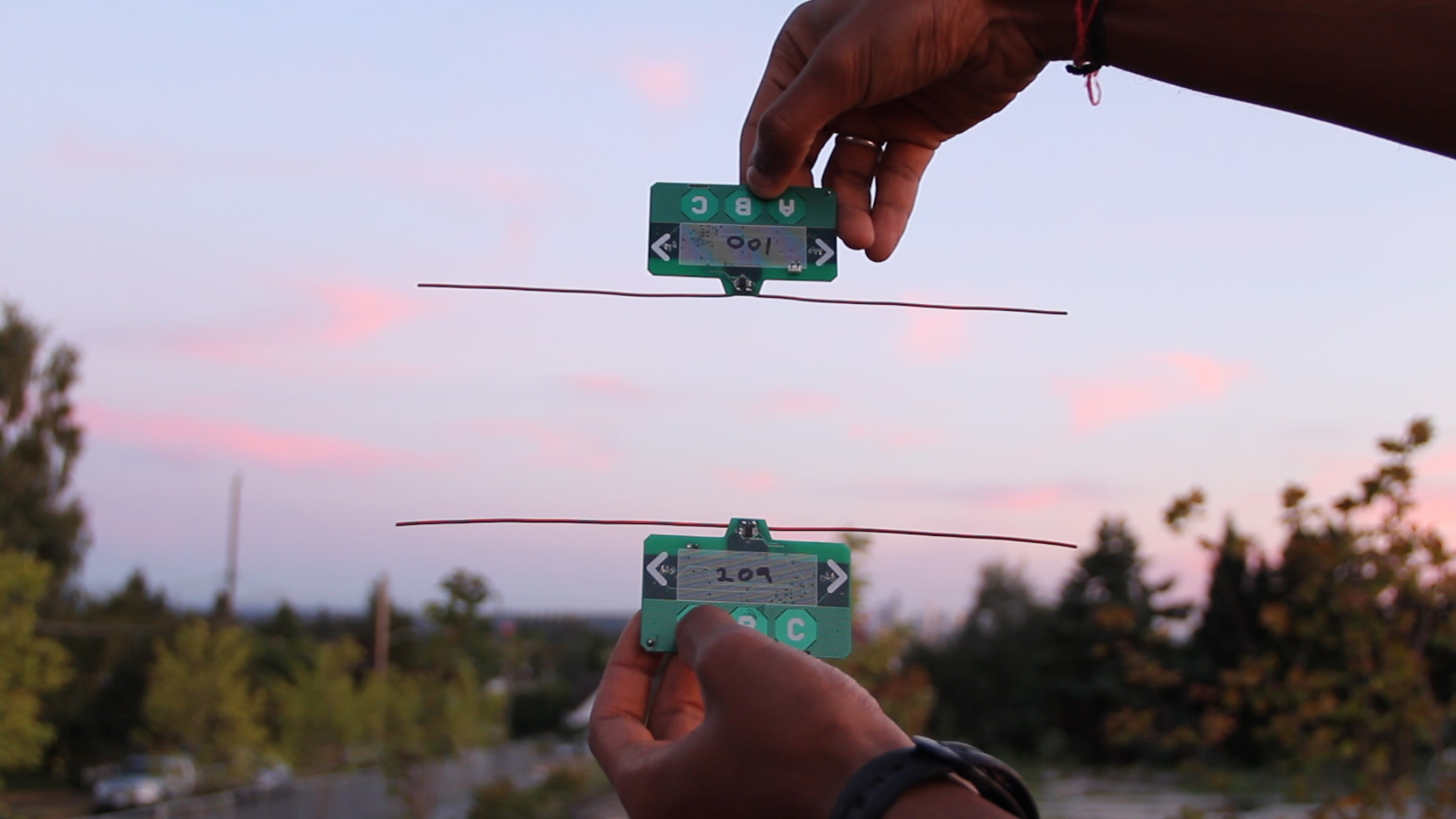
Called “ambient backscatter” by researchers, the new communication technique takes advantage of the cellular, radio and TV transmissions that already surround us 24/7. Devices communicate with one another by reflecting existing signals to exchange information. Researchers created small, battery-free devices with antennas that can detect, harness and reflect a TV signal, which then is picked up by other similar devices.

A network of devices and sensors that use this technology to communicate would be able to do so with no power source or human interaction necessary.

“We can re-purpose wireless signals that are already around us into both a source of power and a communication medium,” said lead researcher Shyam Gollakota, a UW assistant professor of computer science and engineering. “It’s hopefully going to have applications in a number of areas including wearable computing, smart homes and self-sustaining sensor networks.”

Congratulations to the research team for receiving the “best paper” award at the Association for Computing Machinery’s Special Interest Group on Data Communication 2013 conference in Hong Kong, which began Aug. 13.

“Our devices form a network out of thin air,” said co-author Joshua Smith, a UW associate professor of computer science and engineering and of electrical engineering. “You can reflect these signals slightly to create a Morse code of communication between battery-free devices.”

ambient-backscatter-iphone-app-qtooth

University of Washington

Everyday objects could be enabled with battery-free tags to communicate with each other. A couch could use ambient backscatter to let the user know where his keys were left.

Smart sensors could be built and placed permanently inside nearly any structure, then set to communicate with each other. For example, sensors placed in a bridge could monitor the health of the concrete and steel, then send an alert if one of the sensors picks up a hairline crack. The technology can also be used for communication – text messages and emails, for example – in wearable devices, without requiring battery consumption.

The researchers tested the ambient backscatter technique with credit card-sized prototype devices placed within several feet of each other. For each device the researchers built antennas into ordinary circuit boards that flash an LED light when receiving a communication signal from another device.

Groups of the devices were tested in a variety of settings in the Seattle area, including inside an apartment building, on a street corner and on the top level of a parking garage. These locations ranged from less than half a mile away from a TV tower to about 6.5 miles away.

ambient-backscatter-wireless-device-qtooth

University of Washington

Researchers demonstrate how one payment card can transfer funds to another card by leveraging the existing wireless signals around them. Ambient RF signals are both the power source and the communication medium.

They found that the devices were able to communicate with each other, even the ones farthest from a TV tower. The receiving devices picked up a signal from their transmitting counterparts at a rate of 1 kilobit per second when up to 2.5 feet apart outdoors and 1.5 feet apart indoors. This is enough to send information such as a sensor reading, text messages and contact information.

It’s also feasible to build this technology into devices that do rely on batteries, such as smartphones. It could be configured so that when the battery dies, the phone could still send text messages by leveraging power from an ambient TV signal.

The applications are endless, the researchers say, and they plan to continue advancing the capacity and range of the ambient backscatter communication network.

The other researchers involved are David Wetherall, a UW professor of computer science and engineering, Vincent Liu, a doctoral student in computer science and engineering, and Aaron Parks and Vamsi Talla, both doctoral students in electrical engineering.

The research was funded by the University of Washington through a Google Faculty Research Award and by the National Science Foundation’s Research Center for Sensorimotor Neural Engineering at the UW.

[amzn_product_inline asin=’B00DR0PDNE’]

[amzn_product_inline asin=’B0090Z3SPU’]

[amzn_product_inline asin=’B004G1EBOU’]

Filed Under: News, Tech Talk

Jawbone ERA – Is It Really The Best? – Review

2013-08-13

We’re very hard on Bluetooth headsets here at QTOOTH and the Jawbone ERA is no exception. Here’s our take on one of the most universally praised headsets on the market.

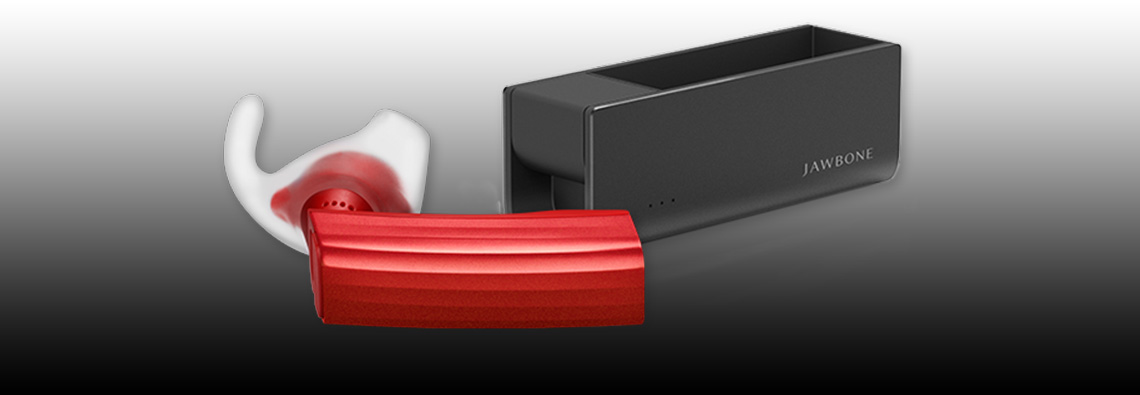
jawbone-era-review-man-riding-bike-qtoothThe [easyazon_link asin=”B00H2RP71G” locale=”US” new_window=”default” nofollow=”default” tag=”uneomediacom-20″ add_to_cart=”default” cloaking=”default” localization=”default” popups=”default”]Jawbone ERA Bluetooth Headset[/easyazon_link], manufactured by the Aliph company who are also the makers of the Jawbone Up, was introduced as an update from their popular and successful Jawbone Icon. It was meant to have superior audio and to improve on the fit and comfort of its predecessor. Unfortunately in our opinion it didn’t quite do either. Please keep in mind that we have owned several of both models and have used them extensively. It is from this experience that we are drawing our opinions.

First up is the audio quality. The audio fidelity on this might be just fine… except that it is not nearly loud enough. This lack of volume is true for either the user or for the person on the other end of the call. The ERA uses what is known as “adaptive volume” control. That means that the audio level should automatically increase or decrease depending on the volume level of the wearer’s environment. We’re fine with that if the it actually did a good job of matching, or competing with, the surrounding noise. We found that it is lacking in this department. It would be great if there was some way to manually set a base volume level from which the adaptive circuitry could then make its adjustments. Instead the user is stuck with whatever volume the circuit decides it should be. It just didn’t do its job to our satisfaction. We much prefer the quick and easier manual controls that were on the Jawbone Icon.

Second, the positioning of the Voice Activity Sensor is far more finicky than the Jawbone Icon. The Voice Activity Sensor, or VAS (see diagram below), rests on your cheek and turns on the microphones by detecting when you are speaking by the vibrations that are conducted through your jawbone (hence the name).

jawbone-era-review-web-tech-specsWe’ve found that even small variations on where the VAS is placed means the difference between a normal sounding voice when we speak versus the ERA switching to its conduction mode which essentially makes us sound like a robot. The conduction mode means that the normal microphones are shut off and all audio is picked up only through the vibrations of the voice that are transmitted through the body. FYI: Conduction is the same technology being used for both transmitting and receiving audio with the Google Glass project. It is another of Google’s many feature missteps with Glass’ introduction. Bone conduction just can’t replace normal hearing fidelity experienced by the human ear. However it must be said that bone conduction technology is an absolute miracle when it comes to hearing aids and helping those with hearing loss. Once again, the Voice Activity Sensor feature was far more forgiving and workable in the Jawbone Icon.

jawbone-era-review-woman-driving-car-qtoothThird, we must take issue with Jawbone advertising these as having HD (high definition) audio. HD audio means something very specific and these headsets do not met the criteria. The Jawbone ERA uses the A2DP audio protocol for Bluetooth which is limited to 320 kbit/s for mono and 512 kbit/s for stereo. This means that it is impossible for these headsets to transfer audio information at the rate required to deliver HD audio which is specified as 1,411.2 kbit/s (CD quality) or up to 6.144 Mbit/s (Dolby Digital Plus) or even 18 Mbit/ s. True, there are some “lossless” formats that can be in the 400 – 1,411 kbit/s like FLAC but they are not standards accepted by the industry as being HD. Now that said, 320 kbit/s isn’t bad. In fact, that’s considered to be on the high end for the MP3 format. You know, the quality at which iTunes and similar services decide they can charge you about a dollar extra per track? So, yes, it is good quality audio for the format but to call it HD is very misleading.

jawbone-era-review-portable-charger-qtoothAnd finally, the last thing we want bring up is how they came so close to turning the world of Bluetooth headsets on its ear, so to speak, by the inclusion of motion sensors. Right now they are using this circuitry for a “shake to pair” and “tap-to-answer” functions. Although we find these features fun, they are a bit gimmicky. It would’ve been so cool if it could be used for controlling a cursor, for instance, or for controlling any other type of device by motions of the head. This could also be incredibly enabling for those with motor issues, think quadriplegics or amputees for example. Jawbone says they have plans in the works for a pedometer that utilizes this circuitry and for releasing the API so that other people can develop apps for it, but it’s been close to two years or so and still no word. Maybe they were too busy developing and re-developing their UP Fitness Band. It uses similar electronics and had flaws upon its initial entry into the market. This just seems like a missed opportunity when it comes to the Jawbone ERA.

jawbone-era-review-phone-apps-qtoothSo, now that we’ve taken Aliph to task for their Jawbone ERA, please know that we are still fans and think that their Jawbone Icon is still one of the very best on the market. There is strong competition from the likes of Plantronics, Jabra, Blue Ant, Motorola and Bose, but Jawbone’s got game. We just look forward to seeing where they might be able to take it next. And if you are going to buy, you might want to go for the Jawbone Icon.

[easyazon_block add_to_cart=”default” align=”center” asin=”B00H2RP7BQ” cloaking=”default” layout=”top” localization=”default” locale=”US” nofollow=”default” new_window=”default” tag=”uneomediacom-20″]

[easyazon_block add_to_cart=”default” align=”center” asin=”B005MHGBX6″ cloaking=”default” layout=”top” localization=”default” locale=”US” nofollow=”default” new_window=”default” tag=”uneomediacom-20″]

For more details, check out the videos at the bottom of this post.

https://www.youtube.com/watch?v=0GPYwxvqW7s

https://www.youtube.com/watch?v=dUjKai_fccM

https://www.youtube.com/watch?v=OpN22N3lIaQ

Filed Under: Featured Content, Mobile, Reviews, Tech Talk, Wearable

Ruckus Explores Tracking Your Indoor Location with Your Cell Phone

2013-07-14

WiFi Symbol - QTOOTHRuckus Wireless has discovered another application for its Wi-Fi technology beyond just delivering fast connections to the web. Drawing on the help of YFind, a location services startup based in Singapore, Ruckus utilizes Wi-Fi signals to triangulate a smartphone’s position indoors, an environment that GPS signals typically can’t penetrate.

Ruckus revealed on Wednesday that it purchased YFind for an undisclosed amount. Wi-Fi location is becoming a hot market now that most of the world has been mapped, marked and recreated in a wide variety of navigation and location-based services apps. The problem with using GPS in buildings is that our usual tools that we depend on to determine location — like GPS satellites and mobile network towers — aren’t strong enough or accurate enough to deliver a precise interior location.

When discussing a building’s interior, location data needs to be within a few meters, otherwise the app will display a position in the wrong room or floor. GPS signals can’t pass through most roofs or floors and cell tower triangulation just doesn’t have that level of accuracy.

Ruckus WiFi Location Services - QTOOTH

But the big the big dogs like Google and Qualcomm, and even smaller niche companies like Wifarer, Walkbase,  and WifiSlam (which was just purchased by Apple, are attempting to solve that problem by converting Wi-Fi networks into miniature GPS constellations. Every Wi-Fi access point has a unique identifier, and by measuring the strength and direction of a building’s access points, these companies can determine a device’s position within a few meters.

The first Wi-Fi location companies began by working independently of the Wi-Fi equipment manufacturers producing the signals — and usually independently of the businesses that owned the networks. However, the big Wi-Fi vendors are starting to get involved. The large enterprise-level wireless-LAN supplier Aruba Networks purchased Meridian earlier this year, and now Ruckus has acquired YFind.

Ruckus said it would begin offering up a suite of location services such as indoor navigation, geo-targeted advertising and “footfall analytics” to customers. Ruckus is most likely looking to use YFind as a teaser to gain more enterprise Wi-Fi customers (right now the majority of Ruckus’s business is in outdoor Wi-Fi). By layering location data on top of access, Ruckus’s indoor access points become all the more useful to the businesses that buy them.

[amzn_product_inline asin=’B0087NZ31S’]

[amzn_product_inline asin=’B008ALA2RC’]

[amzn_product_inline asin=’B005WKIKA0′]


Filed Under: Mobile, News, Tech Talk

7 Tips for Using EMF Protection to Lower Cell Phone Radiation Exposure

2013-07-11

ADR Protect Anti-EMF for Cell Phones - QTOOTH

Here are 7 Tips for Lowering Cell Phone EMF Radiation Exposure. Why? Because modern electronic devices are an integral part of human life. These products release EMF pollution in the form of undesired and harmful electromagnetic waves that create numerous potential health risks. This “electro-smog” pollution emitted, especially from cell phones, may affect the functionality of various body organs, the immune system, energy and vitality. Moreover, EMF radiation exposure may also cause a number of illnesses including high blood pressure, unexplained headaches, electo sensitivity disorder, diabetes, lower vitality and even cancer. That’s why proven cell phone radiation protection products are becoming more and more important.

There are many products on the market that promise varieties of solutions and remedies to EMF and cell phone radiation exposure. In fact most of them rely mainly on graphics, marketing and sales techniques. In this current situation, a common sense approach for most consumers seems to be appropriate. Here is a list of most common steps for EMF and cell phone radiation protection.

7 cell phone tips for lowering EMF radiation exposure:

1: Keep your your cell phone from directly touching your head during phone conversations.

2: Use speaker phone while talking on the phone.

3: If possible limit the amount of talk time to 10 minutes.

4: Use Blue-tooth for longer conversations.

5: Keep your phone in your purse or cell phone case when not used to limit direct contact between the body and cell phone.

6: Try to only use your cell phone when the signal reception is strong (at least three bars) – the weaker the signal reception the stronger cell phone antenna has to work to maintain connectivity.

7: Use only credible EMF protection and cell phone radiation protection products.

According to World Health Organization reports cell phone radiation may deliver a negative impact on the human brain. ADR-Protect by AdrProVita is a registered medical device in the European Union and is supported by clinical and lab research results and international awards (Golden Medal Eureka Inventions, Brussels and Golden Medal INPEX Therapeutics, Pittsburgh).Although results from studies on the true level of impact on health vary, using EMF protection might be smart to do what we can to make the risk a non-issue.

[amzn_product_inline asin=’B00D8ADGTQ’]

[amzn_product_inline asin=’B00CNO82FQ’]

[amzn_product_inline asin=’B0006GRNGW’]

Filed Under: Health & Fitness, Mobile, Tech Talk

11 Camera Tips for Your Samsung Galaxy S4

2013-07-09

Here are 11 camera tips for the Samsung Galaxy S4 that are easy to follow The great quality of the Galaxy’s S4 camera is well known. However, most owner’s of the popular smartphone probably aren’t taking full advantage of its capabilities. These tips come straight from the folks at Samsung who have a vested interest in making sure you are able to get the most out of their products with the least amount of effort. Check’em out:

Use Shooting Modes to Create Perfect Photos

Twelve automatic Shooting Modes on an easy-to-use interface allow you to quickly adapt to the situation and perfectly capture the moment. When taking a close-up portrait, use Beauty Face mode to automatically clear blemishes for perfect results. Or, for a group shot, use Best Face mode to select each person’s best look from up to five consecutive images and merge them into one dazzling ensemble. You can refer to the descriptions in carousel display mode to help you choose the right one for your photo.

Put Yourself in the Shot

Eliminate the need to ask a passerby to take your family portrait on vacation. In addition to the 13-megapixel rear-facing camera, the Galaxy S 4 also features a 2-megapixel front-facing camera. In Dual Camera mode, both cameras function simultaneously to ensure the photographer is always included in your special moment. This also works for video in broadcast mode, so you can capture your reaction to all the action.

Capture the Drama in Every Frame

Imagine your child’s winning goal on the soccer field captured and dramatized moment by frozen moment. In Drama Shot mode you can take up to 100 shots in a short burst to freeze each instant. Then, choose the best sequence to capture the action in motion. Your child will be able to relive every step, giving the memory a life of its own.

Store Your Memories in Story Album

Make a book of your most cherished memories with Story Album. It allows you to organize a comprehensive and personalized album oriented around a specific event or time period like your child’s dance performance, last summer’s adventure or your baby’s first year. Once organized, you can sync in with the integrated Blurb photo book printing service to share a hard copy with your friends and family.

Get the Picture Right the First Time

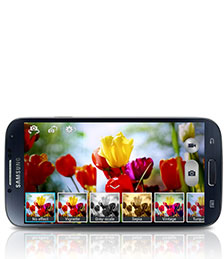
Instead of taking the picture first and figuring out how to make it perfect later, use Live Filters to preview the outcome. With this dynamic capability, you can be sure your image will be cast in just the right light the first time, rather than guessing and hoping for the best—because some moments simply cannot be reproduced.

Clean Up the Scene

When your landmark subject is shrouded in the tourist crowd, you can use Eraser Shot to remove unwanted strangers who keeping walking into your perfect picture from your photo.

Bring Images to Life

Animate your dog’s proud and playful chase by streaming it into an animated GIF. With Animated Photo, you can catch all the action and keep every moment by sequencing a series of images for a quick playback at any time.

Showcase Your Favorite Moments

Collages are a fun way to show off your best pictures and capture the feel of an excursion like a day at the park or a weekend camping trip. Use Photo Collage to select the images you want to include and drag them around to create a fun snapshot of the event. Simply pick the photos in the gallery that you want to feature and select Photo Collage from the menu to create a snapshot of the event.

Capture Photos While Recording

Combine both the video and camera functions at once to capture the motion and still snag the perfect moment. You can record your daughter’s record-setting dive in its entirety and also snap a photo just before she enters the water with one simple touch during Video Capture.

Easily Share Your Best Photos

With Share Shot, you can immediately send the happiest moments, like your child’s graduation, to your friends and family nearby. When connected with Share Shot, as soon as you take the photo it automatically appears in the gallery of the connected devices. Share Shot uses Wi-Fi™ Direct, but you can also share via Bluetooth®, Email, Gmail™ and Messaging.

Control the Camera with Your Voice

Don’t fumble over trying to press the screen in the right spot when both hands are full. With Voice Commands, you can conveniently use your voice to control the camera while juggling the needs of the moment. When you know there are great shots coming, turn on voice commands with a single touch to simply say ‘cheese’ and take a picture.

via Samsung Mobile

We at QTOOTH hope you found these tips helpful!

Filed Under: How To Tips, Tech Talk

Fitbit Flex vs Jawbone Up

2013-07-06

Fitbit Flex vs. Jawbone Up

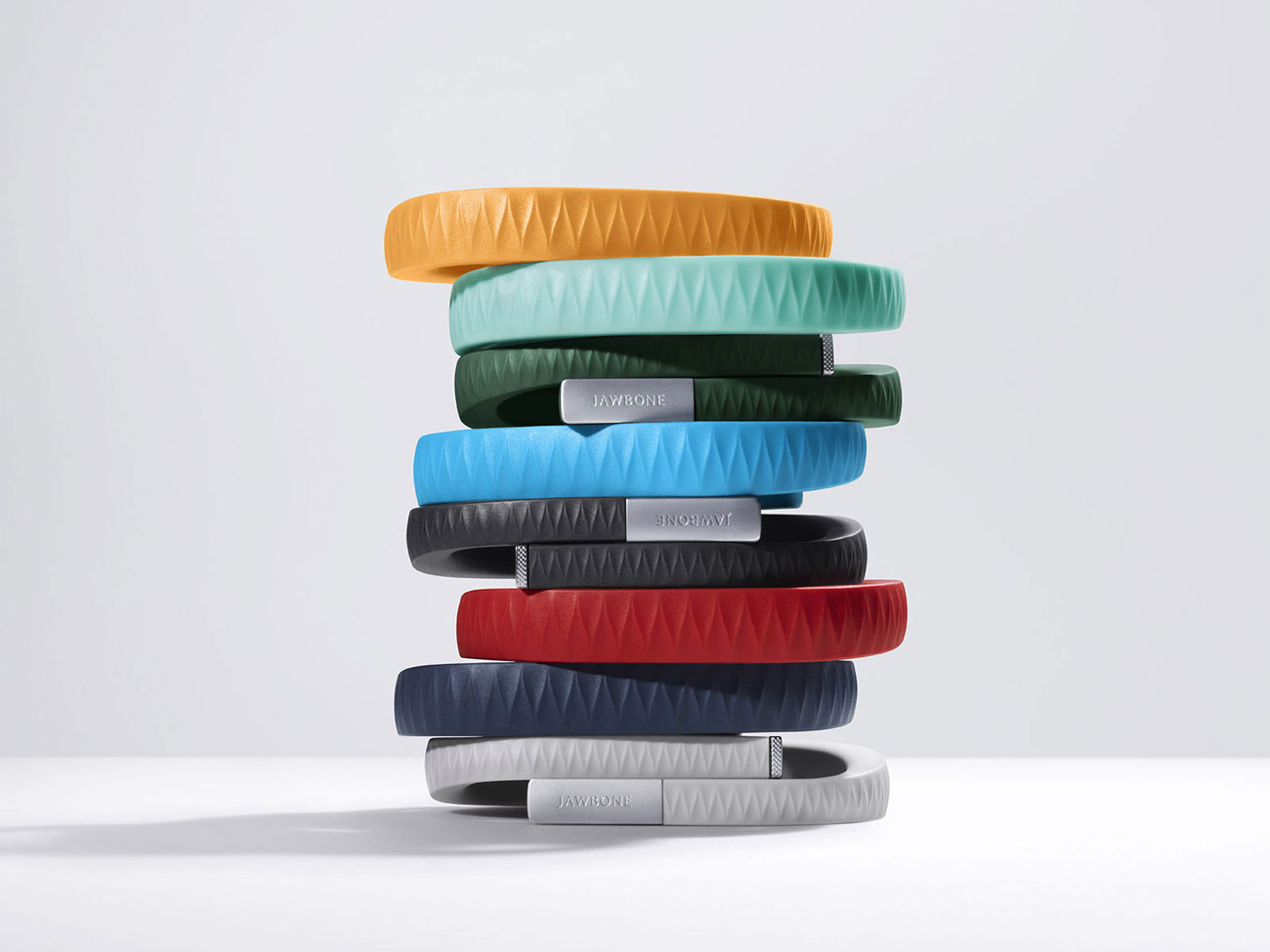
FitBitjawbone-up-bands-stacked-qtooth

The race to be the best in wearable fitness technology is heating up. Check out this comparison of the Fitbit Flex vs Jawbone Up:


[amzn_product_inline asin=’B0095PZHPE’]

[amzn_product_inline asin=’B00BGO0Q9O’]

[amzn_product_inline asin=’B00CIX260Y’]

Filed Under: Health & Fitness, Reviews, Tech Talk, Wearable

  • « Go to Previous Page
  • Page 1
  • Interim pages omitted …
  • Page 4
  • Page 5
  • Page 6
  • Page 7
  • Page 8
  • Interim pages omitted …
  • Page 10
  • Go to Next Page »

Primary Sidebar

Affiliate Disclosure

This website uses affiliate programs for monetization. At no additional cost to you, links to various sites mentioned in posts may result in a commission that is credited to this site if you make a purchase.

Some affiliate programs and affiliations include, but are not limited to, Commission Junction, Apple, Google, Amazon.com and more.

For complete details
click here.

Copyright © 2026 · Preferred Hosting by WP Engine and Domain Name Registry by Namecheap

We are using cookies to give you the best experience on our website.

You can find out more about which cookies we are using or switch them off in .

QTOOTH
Powered by  GDPR Cookie Compliance
Privacy Overview

This website uses cookies so that we can provide you with the best user experience possible. Cookie information is stored in your browser and performs functions such as recognising you when you return to our website and helping our team to understand which sections of the website you find most interesting and useful.

Strictly Necessary Cookies

Strictly Necessary Cookie should be enabled at all times so that we can save your preferences for cookie settings.

3rd Party Cookies

This website uses Google Analytics to collect anonymous information such as the number of visitors to the site, and the most popular pages.

Keeping this cookie enabled helps us to improve our website.

Additional Cookies

This website uses the following additional cookies:

(List the cookies that you are using on the website here.)