• Skip to primary navigation
  • Skip to main content
  • Skip to primary sidebar

QTOOTH

News & Reviews for Living with Bluetooth Wireless

  • Reviews
    • Wearable
    • Gaming
    • Health & Fitness
    • Home & Office
  • How To Tips
  • Industry News
  • About QTOOTH

Entertainment

The DJI Phantom 2 Vision+ : More Cool Tools for Wireless Movie Making

2014-04-13

dji-phantom-2-vision-quadcopter-in-flight-qtoothThe new [easyazon_link asin=”B00AGOSQI8″ locale=”US” new_window=”default” nofollow=”default” tag=”uneomediacom-20″ add_to_cart=”default” cloaking=”default” localization=”default” popups=”default”]DJI Phantom Aerial UAV Drone Quadcopter for GoPro[/easyazon_link] is one heck of a package deal for getting out there and making your more adventurous film ideas a reality. Whether you are making an independent film, a sports highlight reel, a music video, or a promo for your company, the Phantom 2 Vision+ will do an incredible job right out of the box.

You might want to pay attention to the “+” sign that we are using in the model name for this version of the Phantom. The “+” denotes that it is the version that comes with a 3-axis gimbal. What’s a gimbal? It is a special mount for the camera that allows the camera to float independently of the quadcopter, it can also help stabilize the view from every single vibration and change in the quadcopter’s direction. Without it, the ride for your viewers is a lot less pleasurable. A gimbal adds a touch of grace to the whole proceedings.

The DJI Phantom 2 Vision+ quadcopter is also one of the easiest to fly yet. You should be getting great usable results within the first few times you fly. Robert Scoble, a well-known tech early adopter who has a GREAT channel on YouTube, recently posted his experience as a novice with the Vision+ and shows just how easy it can be:

https://www.youtube.com/watch?v=fuGvMb89hig

Here are a few of the main features:

  • Super smooth video thanks to the 3-axis gimbal
  • Crystal clear stills and live streaming video from the redesigned HD video camera with built-in FPV link
  • Extra-long flight times of up to 25 minutes from the intelligent 5,200-mAh battery
  • More flight power and security from the high-efficiency self-tightening propellers
  • Advanced GPS-based navigation and programmable features you can set up via the built-in USB port

dji-phantom-2-vision-plus-main-view-qtoothIt’s amazing that you can control these right from your smartphone or tablet. And yes, it will work with either iOS or Android devices.

dji-phantom-2-vision-plus-controller-view-qtoothThere is a version that you can now buy for [easyazon_link asin=”B00FW78710″ locale=”US” new_window=”default” nofollow=”default” tag=”uneomediacom-20″ add_to_cart=”default” cloaking=”default” localization=”default” popups=”default”]DJI Phantom 2 Vision Quadcopter with Integrated FPV Camcorder (White)[/easyazon_link], but it is our recommendation that you go for [easyazon_link asin=”B00J8JLOA4″ locale=”US” new_window=”default” nofollow=”default” tag=”uneomediacom-20″ add_to_cart=”default” cloaking=”default” localization=”default” popups=”default”]DJI Phantom 2 Vision+ Quadcopter with FPV HD Video Camera and 3-Axis Gimbal[/easyazon_link]. Gimbals can cost just as much as a quadcopter and camera combined. So the fact that you can get the entire package for $1299 is really phenomenal.

We’ve worked on Hollywood sets before and the cost of renting a crane or helicopter with crew for a few hours can take up the same amount of budget as a almost a week’s worth of shooting. The cost savings that the DJI Phantom 2 Vision+ makes possible is so significant why would anyone rent? Buy it, learn it, and it will pay for itself in pretty short order.

[easyazon_block add_to_cart=”default” align=”center” asin=”B00J8JLOA4″ cloaking=”default” layout=”right” localization=”default” locale=”US” nofollow=”default” new_window=”default” tag=”uneomediacom-20″]DJI Phantom 2 Vision+ Quadcopter with FPV HD Video Camera and 3-Axis Gimbal[/easyazon_block]

[easyazon_block add_to_cart=”default” align=”center” asin=”B00I3J4NG2″ cloaking=”default” layout=”right” localization=”default” locale=”US” nofollow=”default” new_window=”default” tag=”uneomediacom-20″]DJI Phantom 2 Vision+ Quadcopter with FPV HD Video Camera and 3-Axis Gimbal[/easyazon_block]

[easyazon_block add_to_cart=”default” align=”center” asin=”B00I4N7KBW” cloaking=”default” layout=”right” localization=”default” locale=”US” nofollow=”default” new_window=”default” tag=”uneomediacom-20″]DJI Phantom 2 Vision+ Quadcopter with FPV HD Video Camera and 3-Axis Gimbal[/easyazon_block]

Filed Under: Art & Media, Entertainment, News

New Roku Streaming Stick to Compete with Google’s Chromecast

2014-03-05

roku-streaming-stick-and-remote-control-qtoothRoku is set to start shipping its new HDMI-connected Streaming Stick in April. It is intended to compete directly with Google’s very popular Chromecast. Seeing as Roku’s new device sells for $49.99 versus $35 for Chromecast, it looks like the competition will be fierce.

So what makes this different than the original $99 Roku Streaming Stick?  The new HDMI Version is not limited to “Roku-Ready” TVs that use ports that support Mobile High-Definition Link (MHL) technology. It will work with any TV with an HDMI input.

According to Roku chief marketing officer Matthew Anderson, the original MHL-compatible Roku Stick will still be available, but most likely limited to being bundled with compatible TVs and specialized remote controls that can work with the streaming device and the set itself. Roku has not disclosed sales figures for the original stick, but since the company certified 60 different  products from 14 consumer electronics partners and that 20 companies are already in the Roku Ready program, it is estimated that they have shipped about 8 million devices in the US alone.

And just like the rest of Roku’s streaming boxes, the new Streaming Stick will support Roku’s 1,200-plus apps/channels, including authenticated TV Everywhere apps such as HBO GO, Watch Disney, WatchESPN, and TWC TV from Time Warner Cable.

As long as there is a solid internet connection that can handle the data rates, the new HDMI version can deliver 1080p video and uses a mini USB port that can draw power from a USB port on the TV or directly from a wall outlet. The 802.11n Wi-Fi-enabled device will also ship with a remote control and the ability to use mobile apps that can also control the Roku Streaming Stick. Anderson said the new product is also made to support DIAL (Discover and Launch), a feature currently supported by the Roku 3 that lets users fling video from YouTube and Netflix from a mobile device to the TV, tying in a feature that’s central to the rival Chromecast platform. The new adapter will also let users view locally-stored personal photos on the TV.

roku-streaming-stick-qtooth

Roku is trying on several fronts to compete with rivals such as Google and Apple, who makes the ever-popular iTV. At the International CES event in January, Roku announced that Hisense and TCL are the first television manufactures that will launch models that integrate the Roku platform. The first of the Roku TV models are expected out this fall.

QTOOTH will be on the lookout for this device and will do a review when the Roku HDMI Streaming Stick become available.

[easyazon_block add_to_cart=”default” align=”left” asin=”B00DR0PDNE” cloaking=”default” layout=”left” localization=”default” locale=”US” nofollow=”default” new_window=”default” tag=”uneomediacom-20″]

[easyazon_block add_to_cart=”default” align=”left” asin=”B00I4ZO11C” cloaking=”default” layout=”left” localization=”default” locale=”US” nofollow=”default” new_window=”default” tag=”uneomediacom-20″]

[easyazon_block add_to_cart=”default” align=”left” asin=”B00BGGDVOO” cloaking=”default” layout=”left” localization=”default” locale=”US” nofollow=”default” new_window=”default” tag=”uneomediacom-20″]

Filed Under: Entertainment, Featured Content, Home & Office, News

The Dash – The Latest Entry in the Dawn of the Smart Headphone

2014-02-16

The latest product to make a splash on Kickstarter as of last week is The Dash, an in-ear wireless headphone. The Dash looks to be a strong entry into the growing class of devices known as smart headphones. In order to make the device qualify as “smart”, the creators of The Dash have included a variety of sensors that can be used to track the wearers health and to communicate and control connected devices wirelessly.

Although we have some questions about some of its component and design choices, the device shows a tremendous amount of promise. Here’s their promo video and info direct from their Kickstarter campaign:

bragi-dash-details-chart-qtoothbragi-dash-inside-details-chart-qtooth

Click for Zoomed View
Click for Zoomed View of Internal Components

Overall we are incredibly impressed with their choices of components and the featured functionality of The Dash. Here are what we think are some of the pros:

  • CSR’s AptX circuitry – for delivering quality audio over Bluetooth
  • The use of 3-axis and accelerometer sensors in both the left and right ear buds for greater accuracy of motion tracking
  • Onboard media/music storage (4GB) and playback for greater audio quality than available over Bluetooth and use even when not connected to another device or smart phone
  • The ability to use the built-in ambient mic to listen to the immediate environment – a great safety feature for when the ears are plugged by use of the device
  • The ability to turn features on and off via an app – Currently the practical battery charge is about 3 hours when all of the internal circuitry is on and working. Turning of functions that aren’t currently being used will allow the battery life to be extended
  • A companion storage case that will be able to recharge the ear buds within an hour several times before it too needs to be recharged

Here are some of our potential cons. Since the device may evolve yet before its official introduction to the world, and since we have not personally tried The Dash, these questions may not add up to a hill o’ beans. Here they are any way:

  • The use of an ear bone microphone for speech – In our experience, we are yet to find an ear bone microphone that really works well, especially for communicating speech. Microphones and speakers that rely on bone conduction are usually significantly lacking in treble response. This is where the clarity of any sound occurs and how we can differentiate one consonant sound from another. Without those high frequencies clearly articulated “P” can sound like “B”, “T” can sound like “D”, and so on. This can cause a lot of confusion for the person on the other end of the line. Perhaps the folks at Bragi have found the ultimate microphone for this, but there is a reason why Google recently abandoned the bone conduction audio on their much anticipate Google Glass. Used in tandem with a traditional microphone that picks up sound from airwaves, a bone conduction microphone can be a great asset (like the way it is used on the Jawbone headsets). In this case we are skeptical, especially since conduction microphones work best when they are held securely against bone. As far as we can tell, The Dash will mostly be surrounded by the softer flesh and cartilage of the folds of the inner ear. Perhaps they can still make it work in conjunction with their ambient mic? Or at least make it an option?
  • A claim of “waterproof” – Sure, they only claim water resistance to 1m (about 3 feet), but they also claim that it should be okay for daily swimming, albeit with reduced functionality. They also feature pictures of surfing a wave. I’m not sure who only swims to a depth of 1 meter. Diving into a pool, pushing off the wall at the turn of a lap, or getting hit by a wave will probably easily exceed the water pressure of 1 bar/ 1 meter that they claim. It will be interesting to see what real world use of actual customers demonstrates. But just to be clear, we are still thrilled with the direction that Bragi is taking with The Dash. This level of water resistance should mean that getting caught in the rain or keeping the music going or taking a quick call when hitting the post workout shower should be a non-issue.
  • Passive Noise Reduction – This is a rather cryptic way of saying that The Dash works as an ear plug. They lay claim to the fact that this will help isolate the wearer from noise from their environment. True! Bragi does make some effort to differentiate what they are doing from active noise cancellation circuitry, but we just wanted to clarify the terms for those who may be less familiar. Good active noise reduction circuitry will actually do a better job of reducing noise across a broader range of frequencies than an ear plug. Bragi states that they have kept out the more expensive active noise reduction because it would reduce the battery life. This makes sense, especially considering that the size of this device is quite small and leaves little room for the extra circuitry or increased battery size that might be required. We’d also like to point out that although The Dash provides an ambient microphone to help the user stay aware of their surroundings when necessary, this is not as accurate for positioning those sounds within the environment. All of the folds and curves of the human ear are not just there to make them look as pretty as a sea shell, they serve the purpose of helping us locate sounds. Even if a person is deaf in one ear, as long as the other ear is reasonable healthy, human hearing is incredibly accurate in determining location. This is super beneficial for survival and one of the main reasons I never ride my bike while wearing headphones. I rely on my hearing far too much to help me know exactly where that SUV is in relationship to my rear wheel! Even with the ambient mics active, plugging both ears with The Dash will greatly reduce the wearer’s hearing location abilities.
  • Reflectance Pulse Oximetry – Say what?! That’s the fancy term for the technology behind how The Dash measures heart rate and oxygen saturation (the amount of oxygen carried by the blood). Reflectance pulse oximetry uses two tiny LEDs to emit low intensity red and infrared light into the capillaries of the ear. The optical reflection of the emitted light reveals the relative amount of red and white blood cells and can be interpreted as both heart rate and oxygen saturation. So far in, other devices,  this approach has proven to be a less than perfect way to measure this information. Perhaps having it located on the inside of the ear and using whatever associated circuitry Bragi has developed will greatly improve accuracy. We hope so. This is one of the key features of The Dash and helps combine multiple wearable devices into one. We love the idea!
  • Comfort and secure mounting – Bragi claims that the 3 sizes that they offer for the ear molds will comfortably fit 94% of the population. Maybe so, but many other headset manufacturers offer the similar and make the same claim. We’ve found that ALL devices that are stuffed into the ear canal increase our desire to remove them the longer we wear them. And although we believe that The Dash mounts securely in the ear (see image below) we wonder what will happen if we do shake them loose, say when swimming or surfing. It would be nice if they added some optional, secondary means of attachment. Maybe an ear hook or some form of leash? Just a thought…

bragi-dash-in-ear-3-point-mounting-qtooth

So there you have it, our quick take on The Dash. We’re very excited for them and they are absolutely crushing it on Kickstarter. Check them out when you get a chance and maybe get in line for your own pair by making a pledge toward their campaign. We here at QTOOTH will definitely be keeping an ear out for any news as they get closer to release or when they become available next November!

Filed Under: Entertainment, Featured Content, Health & Fitness, Mobile, News, Wearable

Mad Style and Sound with the Beats by Dr. Dre Pill Bluetooth Wireless Speaker

2013-08-10

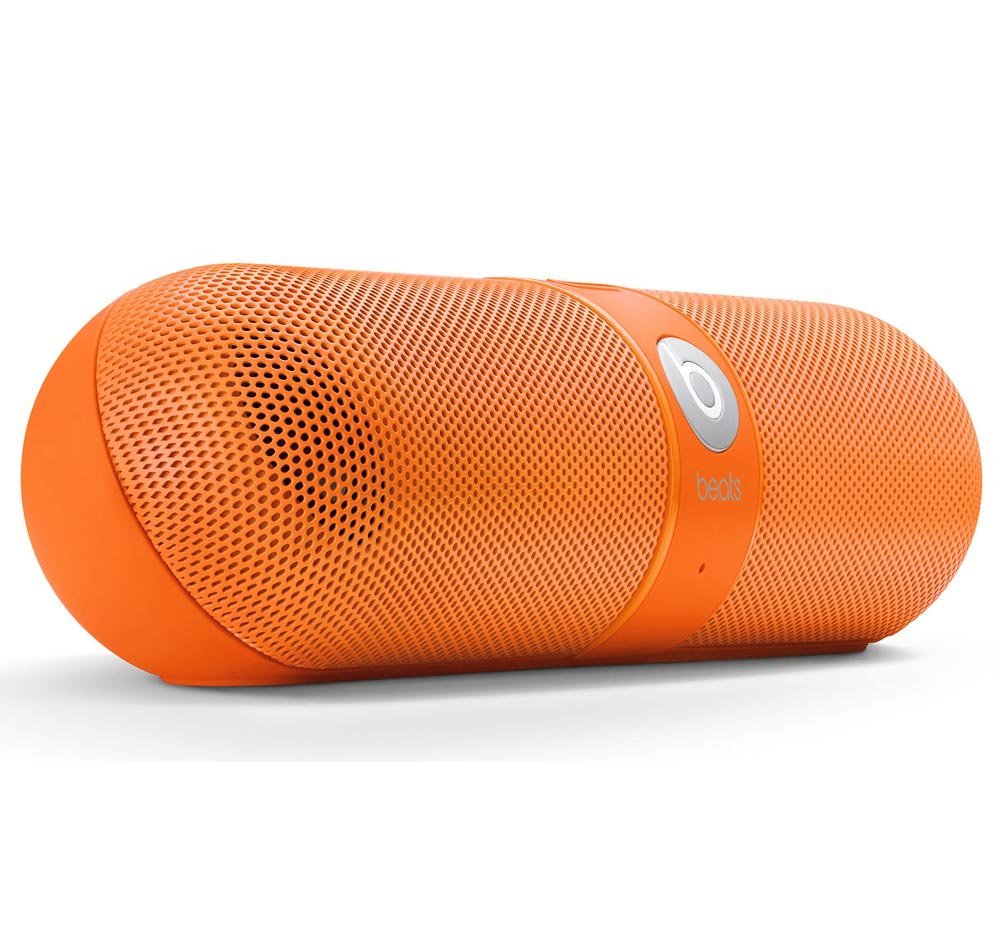
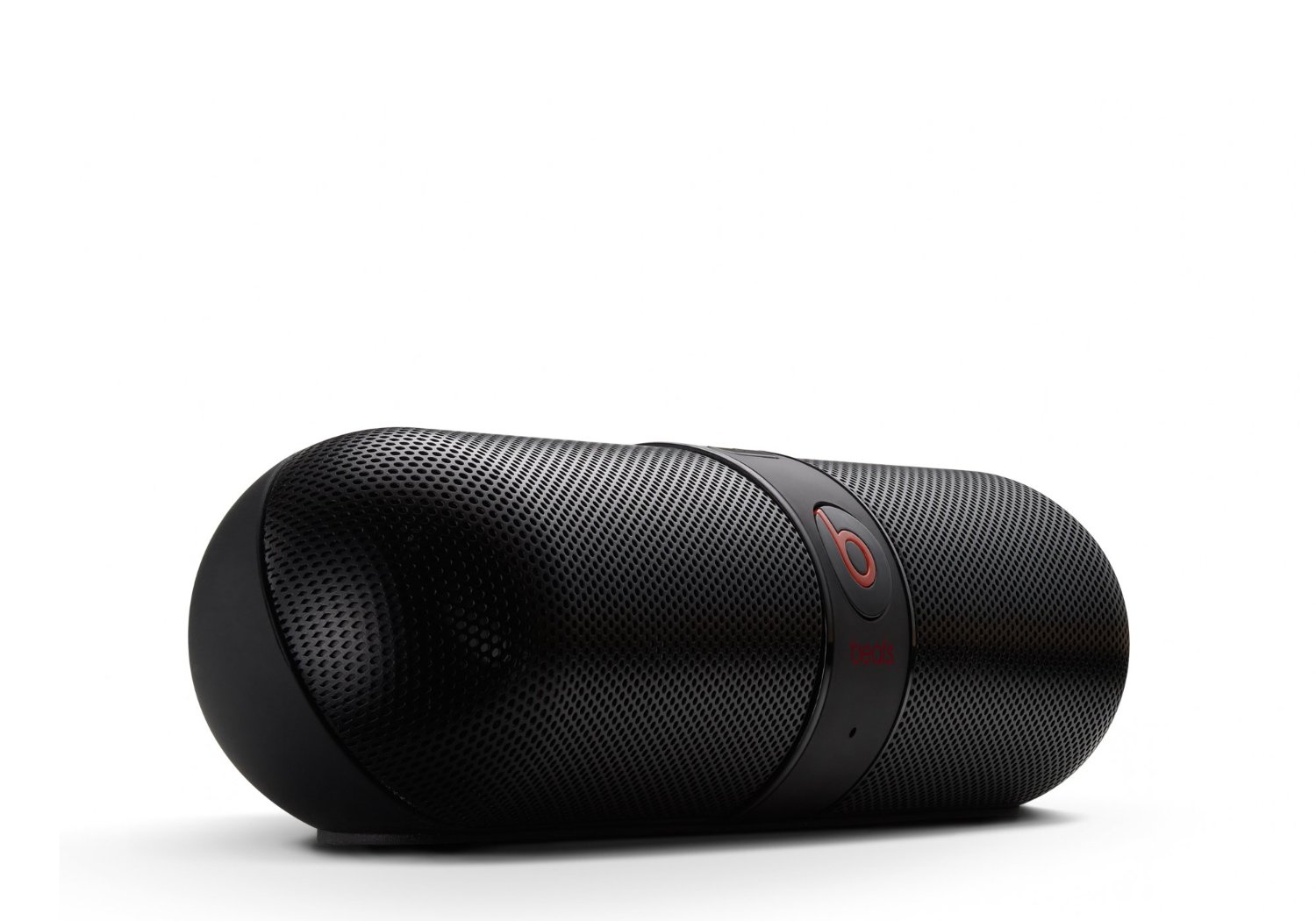
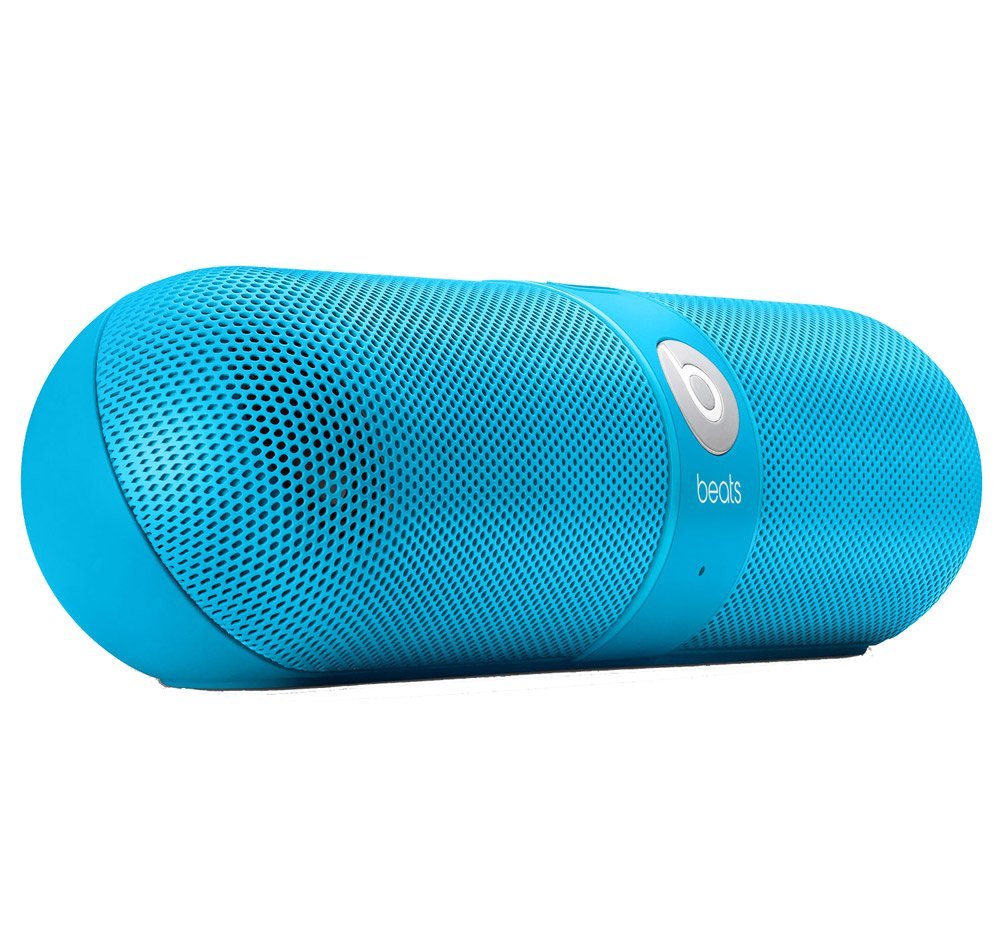
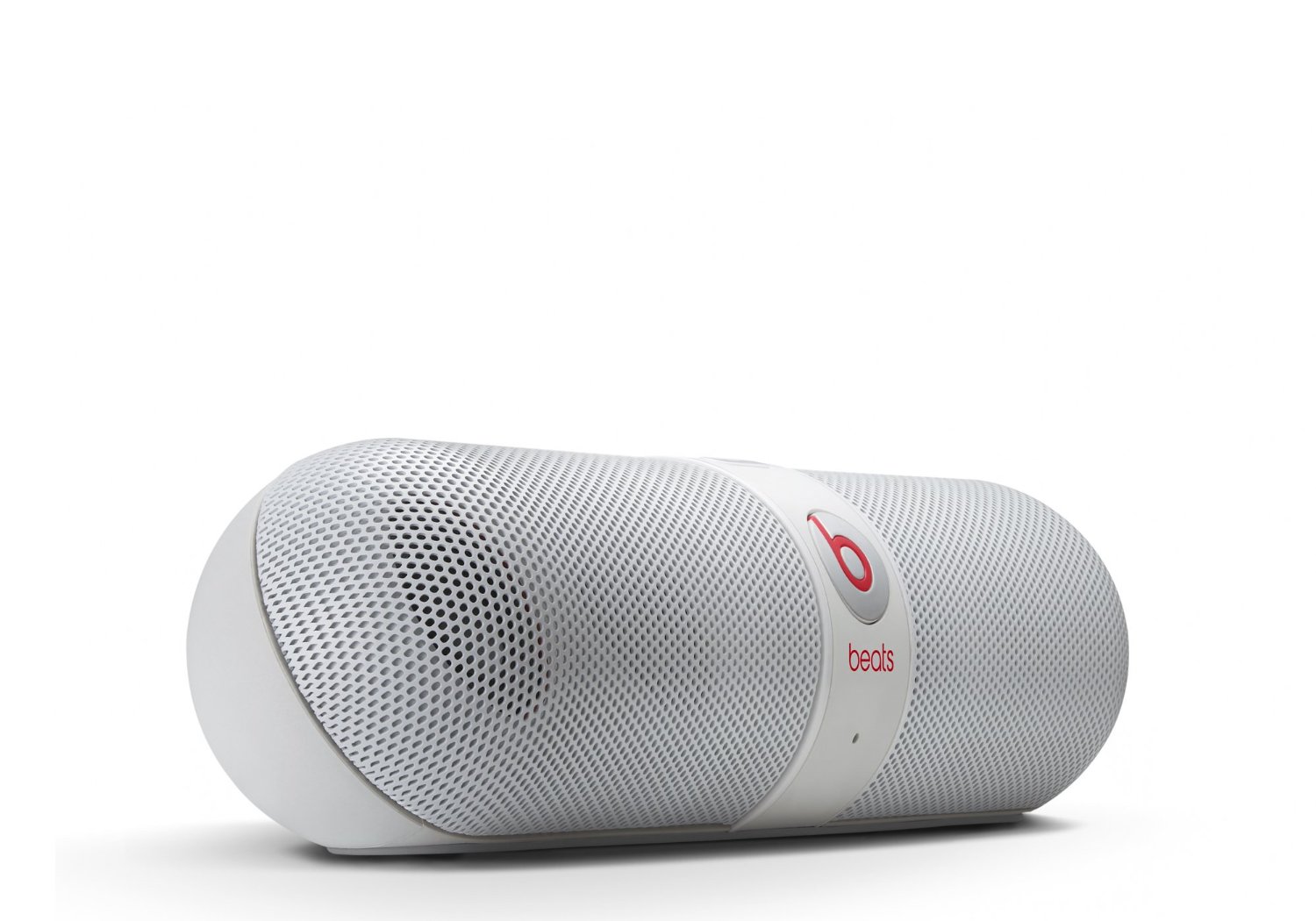
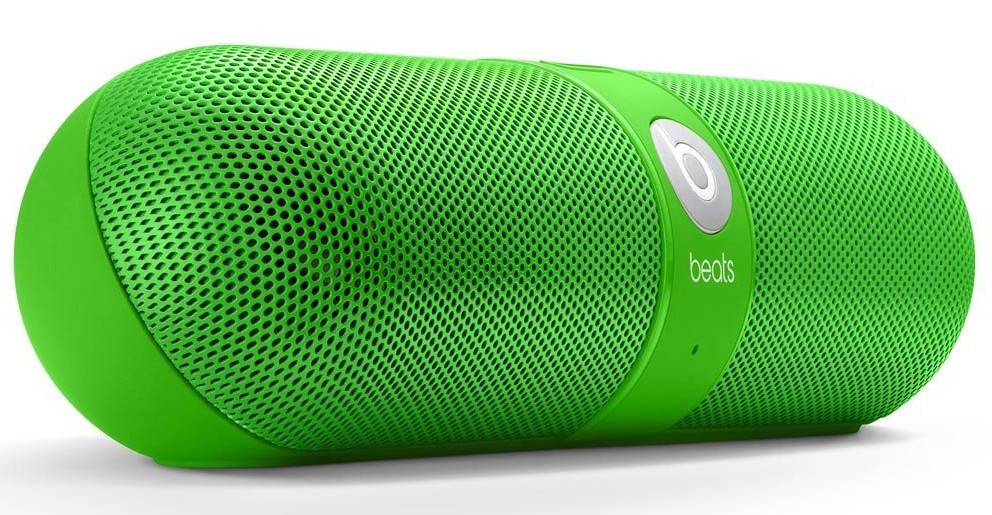
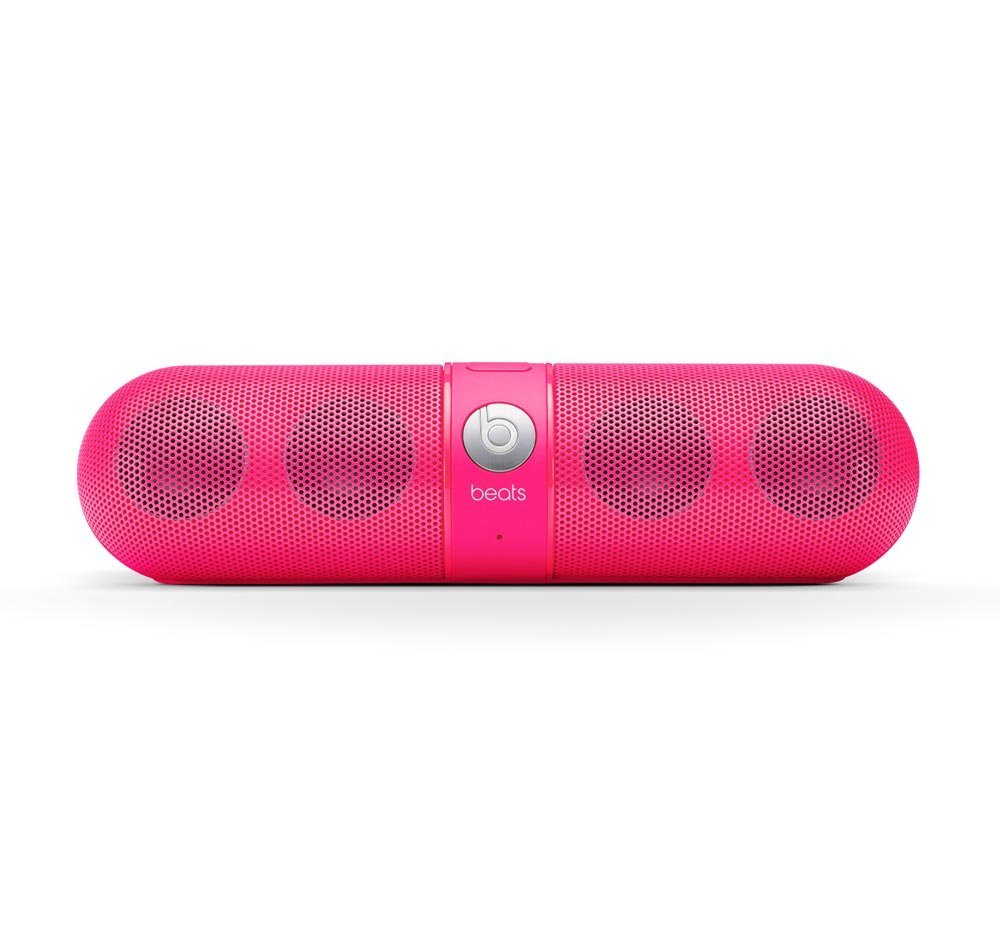
Beats by Dr. Dre Pill Wireless Bluetooth Speaker Green - QTOOTHWhat kid doesn’t like candy? For the kid in us all, Beats by Dr. Dre has brought us the Pill Bluetooth Wireless Speaker in an array of candy colors. Not only is it a powerful, compact speaker for listening to music but it also works as a speaker phone to make calls hands-free using any Bluetooth compatible phone. It is pretty impressive how much sound a lot of these type of devices get (take a look at the Jawbone Jambox, Cambridge SoundWorks Oontz, JBL Micro or Flip,etc…) considering how small they are.  The Pill is truly wireless. Sound is provided by hooking up any Bluetooth compatible audio device, like a phone/mp3 player/tablet/laptop,  and, because it runs on a rechargeable battery that can last up to 5-7 hours, it is cord-free. For some reason all of the manufacturers for these types of devices want to make them look HUGE. However, once you see them in person you realize just how small they are. The Pill is lightweight  and can literally be tucked in a cargo  pocket or a backpack. It even comes with carabiner clip on its carry case so you can attach it to your backpack. Here’s a decent representation of how big it really is (and this person’s hand is prety small):

Nicki Minaj Beats by Dr. Dre Pill Wireless Speaker Pink Limited Edition - Qtooth

[amzn_product_inline asin=’B00C9THROW’]

Even though there are a lot of similarities in this crowded field of competitor’s there are a few features that set it apart:

The Pill Bluetooth Wireless Speaker features NFC, otherwise known as Near Field Communication, which is a form of very low power wireless that allows you to simply tap your phone on the speaker and it have it automatically connect, or pair, via Bluetooth. Can’t get much easier than that. It does require an NFC capable phone, however. Most of the recent Android phones have it, unfortunately the iPhone doesn’t…yet. Rumor has it that the iPhone 5s or 6, or whatever it will ultimately be called, is supposed to have it. We here at QTOOTH sure hope so. We’ll see!

The Pass-through Audio feature means that the Pill has both in and out jacks. So even without an NFC/Bluetooth device you can still hook up your computer or other audio source with a cable. This also means that the audio out can make any audio system into a Bluetooth sound device. Leave it plugged in to your home stereo system and stream music from your phone, laptop or tablet. This is a massive plus when comparing the Pill to the competition.

The Pill can also act as a speaker phone capability and does it with an ease that is missing from other models. One button does it all when it comes to a call. If you are listening to music and a call comes in you the option to answer it with through the Pill. Tap the ‘b’ button on the front the answer. If another call comes in while you are still on the first call, tap and hold to ignore or tap quickly to switch to the new call. Switch back and forth between the calls with another button tap or hang up with a sustained press of the button.  The calls quality was very clear without a lot of shouting or ambient noise.

And did we mention the riot of colors this comes in? The light pink one pictured above is a limited edition Nick Minaj version. All of the other colors for the Pill Bluetooth Wireless Speaker are pictured below.


[amzn_product_inline asin=’B00CJGB9DU’]

[amzn_product_inline asin=’B00CJGATTA’]

[amzn_product_inline asin=’B00CJGAV0W’]

[amzn_product_inline asin=’B00CJGAZPS’]

Black

[amzn_product_inline asin=’B008FQMUYK’]

White

[amzn_product_inline asin=’B008FQMW3E’]

Filed Under: Entertainment, Featured Content, Home & Office, Mobile, Reviews

Google Chromecast – What Is It… and Why You Should Care!

2013-08-01

Chromecast Display Sample - QTOOTH

What is Chromecast? Chromecast is a brilliantly simple product: plug it into your TV and stream video and music to it from apps running on your Android device, iPhone, or laptop. Chromecast has no need for a remote; just use whatever device you’re streaming from as the remote. Instead of Chromecast having its own dedicated user interface it’s got a single screen that displays the time and, if nothing is being streamed, an indicator as to whether or not it’s connected to your WiFi. How can it be so simple? Because the device you’re streaming from acts as the primary interface. Chromecast is simply a wireless media streamer to your TV and doesn’t try to be anything more.

What’s in the Box?

First, the price of Chromecast is only $35. Google felt compelled to assure the media that they’re not selling them at a loss. I believe them. Even though it has a Wi-Fi chip, a basic CPU, 2GB of flash memory, RAM, a licensing fee to use HDMI, the cost of these parts are pretty cheap these days. Plus it is really a re-purposing of existent, very common technologies so the R & D I’m sure was next to nil. And yet we love it. There’s is so much brilliant technology already in existence and we here at QTOOTH know that most of us, whether as developers or as the end-user customer, barely scratch the surface of the devices that we already own.

The setup is ridiculously easy. Plug it into an HDMI port, give it some juice (through USB, which most new TVs have, or a standard adaptor), then run the Chromecast app on a laptop or other compatible device so that it can connect to your Wi-Fi network. That’s it!

From the day of its release, the Chromecast App has been compatible with some of the most popular online video apps, including Netflix and YouTube. No need to update these apps either, just launched them and the Chromecast button is already there. There is even an extension for Chrome that promises to greatly expand the functionality of the device. It is an early, Beta release and I’m sure it will improve over time.

It’s interesting to note that Google released this with very little fanfare, even though in our eyes this is one of the coolest things they’ve ever released as a physical product (here’s looking at you Google Glass).

There are a few things that will need to be improved, but this is off to a great start. It will be interesting to see how competitors respond.

https://www.youtube.com/watch?v=cKG5HDyTW8o

So far the video streaming quality seems to be on par with Apple TV or the Xbox 360, especially when using an app or website like Netflix, Youtube, or Google Play, that been designed for compatibility.

If you’re using the Chromecast extension for Chrome on your laptop to project an otherwise incompatible video site (like Hulu or HBOGO), however, video quality can dump quite a bit depending on your setup. It’s using your laptop as a middle man to encode the video signal and broadcast it to the Chromecast, whereas the aforementioned compatible sites just send video straight to the dongle, mostly removing your laptop from the mix. When casting video tabs on a 2012 MacBook Air running on an 802.11n network, the framerate was noticeably lower and there were occasional audio syncing issues.

While we’re on the topic, the Chrome extension packs a bit of an easter egg: the ability to stream local videos from your laptop to the Chromecast. Just drag a video into Chrome, and it’ll start playing in a new tab. Use the Chrome extension to cast that tab, and ta da! You’re streaming your (totally legitimate, not-at-all-pirated-am-i-right) videos without bringing any other software into the mix. I tried it with a bunch of video formats (mostly AVIs and MKVs. MOVs kinda-sorta work, though most won’t push audio from the laptop to the TV for some reason), and they all seemed to work quite well, albeit with the lowered framerate I mentioned earlier.

Even within the apps that have already been tweaked for Chromecast compatibility, there are some day-one bugs. Sometimes videos don’t play the first time you ask them to, instead dropping you into a never-ending loading screen. Other times, the video’s audio will start playing on top of a black screen. These bugs aren’t painfully common, but they’re not rare, either.

As compared to AirPlay, AppleTV’s built-in streaming feature, Chromecast’s wins because of its cross-platform compatibility. Whereas AirPlay is restricted to Macs and iOS devices and only has limited support for Windows through iTunes, Chromecast works well with any iOS, Android, Mac, or Windows app that utilizes Google’s Cast SDK (or software development kit). although Chromecast just launched, we would be very surprised if developers didn’t jump on this and expand upon the universe of applications that are possible. That means it could be adopted by TV, speaker, entertainment device manufacturers and more, putting the AirPlay protocol in certain jeopardy of being the odd man out.

As expected the experience on Android is a slightly better than it is on iOS. Google has considerably more freedom on their own platform; as an example, apps that use Chromecast can take priority over the lockscreen so that the user can operate the controls, like play/pause/skip, of a video without having to fully unlock their Android device. But that’s a minor thing and, for the most part, all of the primary features work just as well on iOS as they do on Android.

Conclusion

This is the future. It’s probably in all of our futures. If not Chromecast then something almost exactly like Chromecast.

[amzn_product_inline asin=’B00DR0PDNE’]

[amzn_product_inline asin=’B00DVFLJKQ’]

[amzn_product_inline asin=’B00E5M7P1G’]

Filed Under: Entertainment, Featured Content, Mobile, Reviews

DJI Phantom Quadrocopter – A Drone that Can Be Used for the Art of Film Making

2013-07-31

dji-phantom-quadrocopter-qtoothThe DJI Phantom Quadrocopter, coupled with a GoPro Hero 3 camera, makes an easy, inexpensive way by which to capture incredible aerial views of our world. Traditionally this would require the rental of a helicopter or a crane, often costing thousands of dollars for just  few hours. Now you can get this footage using equipment that costs $1000-2000… and you get to KEEP the equipment to use whenever you want! Don’t believe us? Here’s everything you need available right on Amazon:

[amzn_product_inline asin=’B00AGOSQI8′]

[amzn_product_inline asin=’B009TCD8V8′]

[amzn_product_inline asin=’B00CUJXGS2′]

The videos below were filmed using a GoPro Hero 3 Black Series mounted on a DJI Phantom quadrocopter and using a Zenmuse H3-2D gimbal for image stabilization. Of course there are even cheaper alternatives out there. Check some of the Amazon links below or just do a quick search yourself and you’ll quickly realize how many options there are out there to achieve this.

The main video shows Bodie just before sunset, affording us a nearly shadowless and perfect view of Bodie’s main street and abandoned buildings, including the mining machinery that made it  a thriving place back in the 1860s.  It played host to all of the usual cliched characters of the old West: miners who had recently struck it rich, stagecoach robbers, denizens of the opium den, brothel madams and outlaw doctors. Then, within the span of sixty years, Bodie was a ghost town with a population in the single digits.—the ruins of which are explored in this incredible video created using the Phantom Quadrocopter.

These days Bodie is a National Historic Landmark and receives its share of tourists every year. Here it is captured like never before by two California videographers named Russell Brown and Aaron Grimes.

[vimeo http://vimeo.com/71185761]

However, this view is probably the most artsy take on what can be done using a drone. Recently we’ve seen local filmmakers using drones to film parties in LA:

[youtube http://www.youtube.com/watch?v=tMwSVDVJNWc]

And surfers in Santa Cruz:

[vimeo http://vimeo.com/70812846]


[amzn_product_inline asin=’B00CR6DXEA’]

[amzn_product_inline asin=’B00BS4FDWW’]

[amzn_product_inline asin=’B00BS2UEAU’]

Filed Under: Art & Media, Entertainment

  • « Go to Previous Page
  • Page 1
  • Page 2
  • Page 3
  • Page 4
  • Go to Next Page »

Primary Sidebar

Affiliate Disclosure

This website uses affiliate programs for monetization. At no additional cost to you, links to various sites mentioned in posts may result in a commission that is credited to this site if you make a purchase.

Some affiliate programs and affiliations include, but are not limited to, Commission Junction, Apple, Google, Amazon.com and more.

For complete details
click here.

Copyright © 2026 · Preferred Hosting by WP Engine and Domain Name Registry by Namecheap

We are using cookies to give you the best experience on our website.

You can find out more about which cookies we are using or switch them off in .

QTOOTH
Powered by  GDPR Cookie Compliance
Privacy Overview

This website uses cookies so that we can provide you with the best user experience possible. Cookie information is stored in your browser and performs functions such as recognising you when you return to our website and helping our team to understand which sections of the website you find most interesting and useful.

Strictly Necessary Cookies

Strictly Necessary Cookie should be enabled at all times so that we can save your preferences for cookie settings.

3rd Party Cookies

This website uses Google Analytics to collect anonymous information such as the number of visitors to the site, and the most popular pages.

Keeping this cookie enabled helps us to improve our website.

Additional Cookies

This website uses the following additional cookies:

(List the cookies that you are using on the website here.)