• Skip to primary navigation
  • Skip to main content
  • Skip to primary sidebar

QTOOTH

News & Reviews for Living with Bluetooth Wireless

  • Reviews
    • Wearable
    • Gaming
    • Health & Fitness
    • Home & Office
  • How To Tips
  • Industry News
  • About QTOOTH

QTOOTH

Lapka — Personal Environment Monitors for iOS

2013-07-08

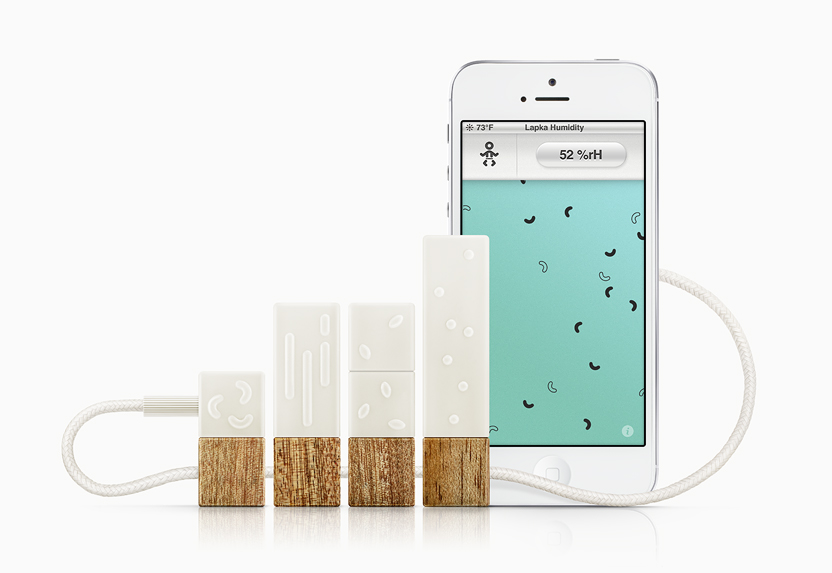
Here’s a quick look at the LAPKA Personal Environmental Monitor for your iOS powered devices. We’re stepping out a little bit on this product by covering something that is not wireless, per se, but works with a wireless device, namely the iPhones, iPads and iPod Touch.What does it do exactly? Well, it monitors your environment on key factors like temperature, humidity, electromagnetic fields, radiation, and even the conductivity of nitrate ions left behind in fruits and vegetables by the use of fertilizers to give you a quick gauge of just how “organic” that food really is.
lapka-main-view-qtooth
Here’s a look at each sensor and what it does:
lapka-app-measure-radiation-qtooth

Lapka RadiationProfessionally precise. Lapka Radiation reveals highly accurate information about the radioactive particles around you and how they might be affecting you.
Method and ProcessСonnect Lapka Radiation to your iOS device usingthe cable from the box. Lapka Radiation averages the number of particles it detects over time, so running the test for longer than two minutes will yield more accurate results. Just wait until the indicator turns black before completing the test.Lapka Radiation is sensitive to low levels of hard beta and gamma particles. Use it to measure the background radiation level wherever you go, or to detect increased levels of radioactive particles in certain scenarios (like on a flight). After testing, you’ll get a personal report comparing the final results with established guidelines, which you can save to your diary box or share with the world.

lapka-app-measure-organic-qtooth

Lapka OrganicDesigned to detect significant quantities of nitrates in raw produce left behind by the use of synthetic fertilizers.
Method and ProcessСonnect Lapka Organic to your iOS device using the cable from the box. Remove the cap from Lapka Organic and insert the stainless steel probe into any fruit or vegetable included on the preset list.Lapka Organic simply measures conductivity, which correlates to the relative concentration of nitrate ions left behind from nitrogen-based fertilizers. In other words, the less electricity a fruit or vegetable conducts, the more likely it is to be free of impurities (distilled water, for example, is nonconductive). Each fruit and vegetable has a defined limit for nitrate concentration, and conductivity that significantly exceeds these limits suggests the use of non-organic farming practices.Be sure to clean the probe after every use.

lapka-app-measure-emf-qtooth

Lapka EMFDetects electromagnetic fields (EMF), which can be caused by electronic devices, wireless transmitters, or nearby power lines. Lapka EMF can be used to help find a spot in your home with the least electromagnetic pollution — perfect for your bed, desk, or yoga mat.
Method and ProcessСonnect Lapka EMF to your iOS device using the cable from the box.Lapka EMF can measure both High Frequency (HF) Low Frequency (LF) fields. Depending on the preset, Lapka EMF can be used to detect cell phone antenna activity, microwaves, or exposed wires. Move around, discover, and investigate new places. Or try wearing Lapka throughout the day.

lapka-app-measure-humidity-qtooth

Lapka HumidityThe temperature and relative humidity of your environment are measured, combined, and compared with our knowledge base of comfort standards to help you better understand your personal climate at any moment.
Method and ProcessGive Lapka Humidity 10 minutes to fully acclimate to a new environment before use. Once acclimated, connect Lapka Humidity to your iOS device using the cable from the box.Lapka Humidity will measure the temperature and relative humidity simultaneously. After measuring, you’ll get a personal report comparing the results with established guidelines. Don’t forget to store the results in your diary box!

These monitors are great for those of us who really want to know what goes on around our bodies and for determining where we want make changes to improve our immediate surroundings and what we choose to put inside of us. The next two images show how the accompanying apps can make suggestions as to how make those changes and give us statistics over time as to whether or not we are headed in the right direction.lapka-app-share-report-qtooth


So far the LAPKA system only seems to be available on their own website. But check it out if you, or someone you love, fits the profile of someone who just “wants to know”.

via Lapka — Personal Environment Monitor.

[amzn_product_inline asin=’B00BSZCT5A’]

[amzn_product_inline asin=’B00B1TLQY8′]

[amzn_product_inline asin=’B00BNXISL6′]

Filed Under: Health & Fitness, Home & Office, Reviews

Acer’s Iconia W3: Full Windows 8 on an 8-inch Tablet

2013-07-07

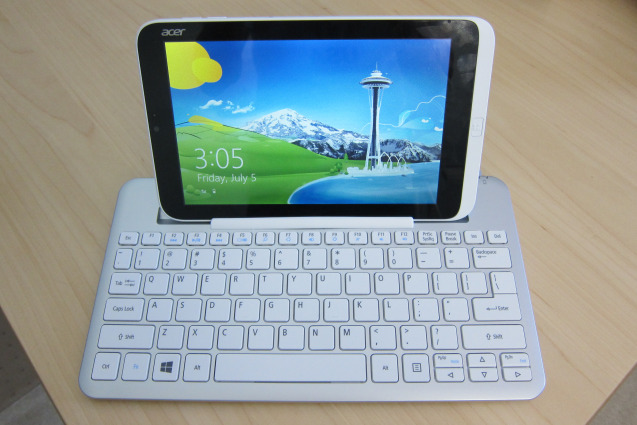
The Acer Iconia W3 (starting at $379) is among the first tablets to come with a full version of Windows 8 of the gate with a product.

Acer Iconia W3 in Keyboard - QTOOTH

The following notes are for the $429 version; the extra $50 boosts the storage capacity from 32 GB to 64 GB. Acer also sent an optional $69 Bluetooth keyboard that doubles as a both a stand and type of carrying case for the small slate:

  • The 8-inch tablet is solidly built and shares design elements from Acer’s larger Windows 8 tablets such as the W510. You can’t flex the device due to a solid body (likely polycarbonate) but the back is all plastic meant to look like metal.
  • At 8 inches, the 1280 x 800 display provides a decent 188 pixels per inch, yet some text and images appear grainy and not so crisp. It could be the fonts or font sizes used by default, but the viewing experience is marginal to my eyes: not terrible nor impressive. The screen is not an IPS panel, so viewing angles aren’t the best either. Screen brightness is quite good except in full sunlight.
  • Because of the resolution, the W3 doesn’t support snapping apps in Windows; you can’t run two apps on the screen at the same time unless you connect the tablet to an external monitor of 1366 x 768 resolution or greater.
  • Instead of a capacitive Windows button under the screen when in landscape, Acer used a physical button that’s off to the right in this orientation. Holding the tablet in portrait mode puts the button under the screen, but I find myself using Windows 8 in landscape far more often. I suspect most others do, or will do, the same. Windows 8 screen gestures all work great.
  • The device’s two speakers also suffer from what I call “portrait-itis”: When holding the tablet in landscape, both speakers are on the right side of the unit. I’d like to see Acer add a third speaker to offset this. The speakers aren’t very loud either.
  • For a tablet of this size, I think you get a fair amount of ports and interfaces: micro USB, micro HDMI and micro SD memory card slot, in addition to the expected power port and headphone jack.
  • Battery life is rated for 7 to 8 hours and, although I’ve only had the unit a short time, I was able to use it continuously for 5 hours with juice to spare. I think the run-time claims are accurate.
  • The 1.5 GHz Intel Atom chip is helping in the battery department: this chipset is used in Acer’s Iconia W510 tablet, which gets similar battery life. There are 2 GB of memory, which is standard for the Atom-powered Windows 8 devices on the market.
  • Likewise, performance on the W3 is similar to the larger Atom-powered tablets currently available. That makes sense since the guts of this 8-inch tablet are mostly the same as its larger siblings. It’s certainly not as fast a Windows 8 machine running an Intel Core chip, but it’s at least as fast as Windows RT machines. And unlike those devices, you can install any Windows application you like on the W3.
  • The device has two cameras — front and rear — and I can’t say that either impressed me. I’d use the front camera for video chatting but the rear sensor is sub-par.
  • I’m still not a fan of jumping between the Windows Desktop for full Windows apps and the modern user interface for touch-friendly apps. That’s more of an issue with Windows itself, not the W3 tablet, and is due to some personal preference on my part.
  • Microsoft Office is pre-installed, which is a big value for those that need it.
  • Using the Desktop mode is a bit of a challenge, at least for me, because it’s not optimized for touch and everything is a bit smaller in a screen of this size. You can modify the DPI scaling (I find 150 percent to work well) and even the size of Windows elements, such as title bars and scroll bars, but I think Acer should optimize these out of the box.

Acer Iconia W3 Front Panel Display - QTOOTH


  • The touch apps I used all worked well on the small slate, offering the same experience as a full-sized Windows 8 or Windows RT computer.
  • I want to like the keyboard, but have a major issue with it. It’s easy to pair with the tablet; I like the feel and layout of the keys. And it’s nearly a full-sized keyboard. There’s a slot to prop up the tablet on the keyboard that works fine… until you start tapping at the tablet screen. That’s quite often since this is a touchscreen device. When closing apps — swiping from top to bottom on the display — the tablet would often fall out of the keyboard. And as I tapped the display with regular use, each little tap dislodged it a little more from the rubber keyboard grip, eventually causing the W3 to tip over. Perhaps it’s me or a defective unit, but this doesn’t seem well-designed.
  • I do like how the tablet clips in to the back of the keyboard, making it easier to carry while protecting the screen.

Acer Iconia W3 Back Panel - QTOOTH


If you like or mostly use Metro style apps and don’t mind limited performance, I suggest considering the W3 tablet. The 1.1 pound device measures in at 8.62 x 5.31 x 0.45 inches, so it’s easy to tote around. And it runs the full version of Windows 8 with support for legacy Windows software. Is it a super-fast performer or a premium device? No, but starting at $379, I think many will find it a great value for the price, given all Windows capabilities.

via Hands on with Acer’s Iconia W3: Full Windows 8 on an 8-inch tablet — Tech News and Analysis.

Filed Under: Home & Office, Mobile, Reviews

Fitbit Flex vs Jawbone Up

2013-07-06

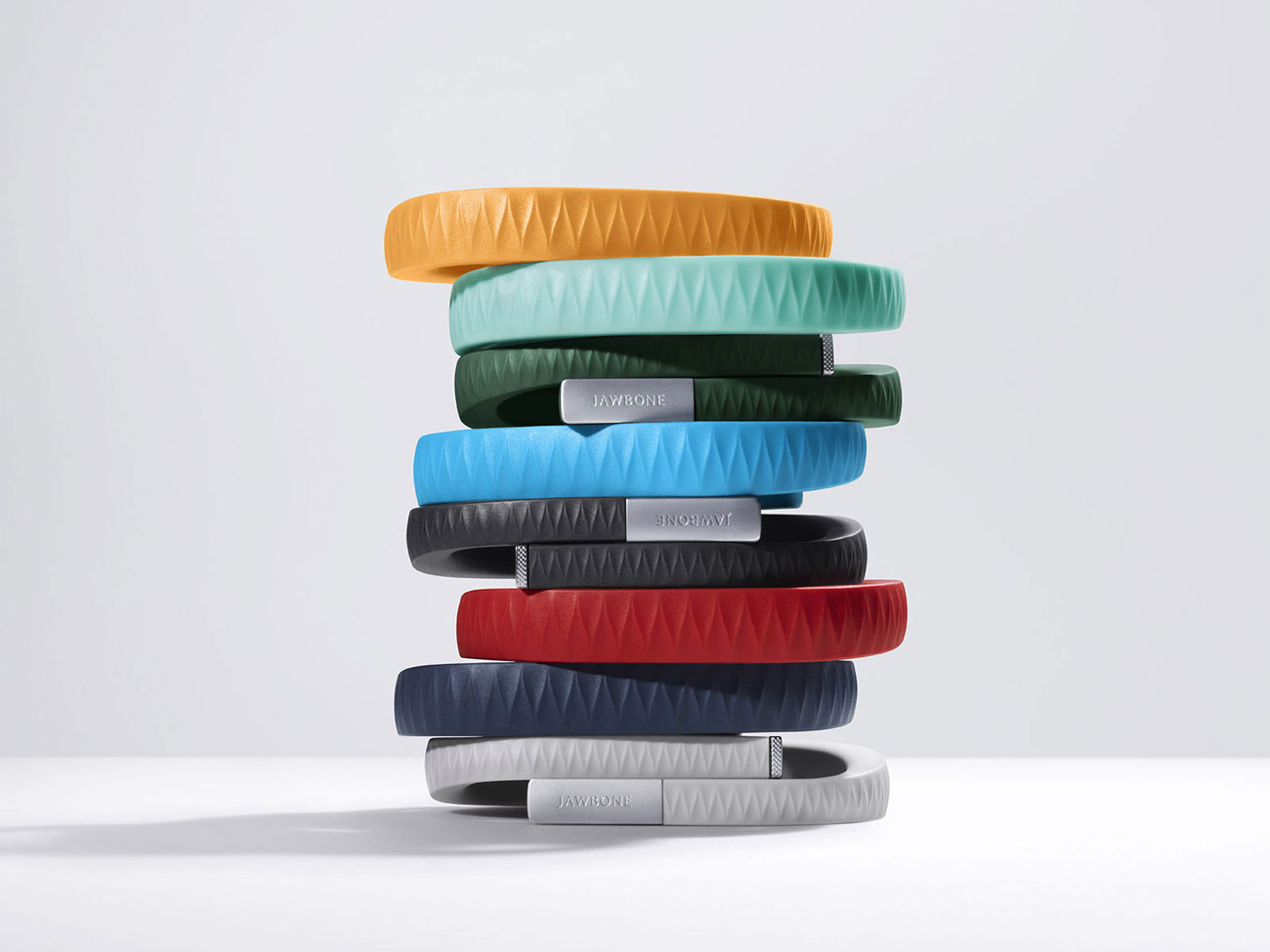
Fitbit Flex vs. Jawbone Up

FitBitjawbone-up-bands-stacked-qtooth

The race to be the best in wearable fitness technology is heating up. Check out this comparison of the Fitbit Flex vs Jawbone Up:


[amzn_product_inline asin=’B0095PZHPE’]

[amzn_product_inline asin=’B00BGO0Q9O’]

[amzn_product_inline asin=’B00CIX260Y’]

Filed Under: Health & Fitness, Reviews, Tech Talk, Wearable

Wearable Technology Market Will Top $6 Billion by 2016

2013-07-05

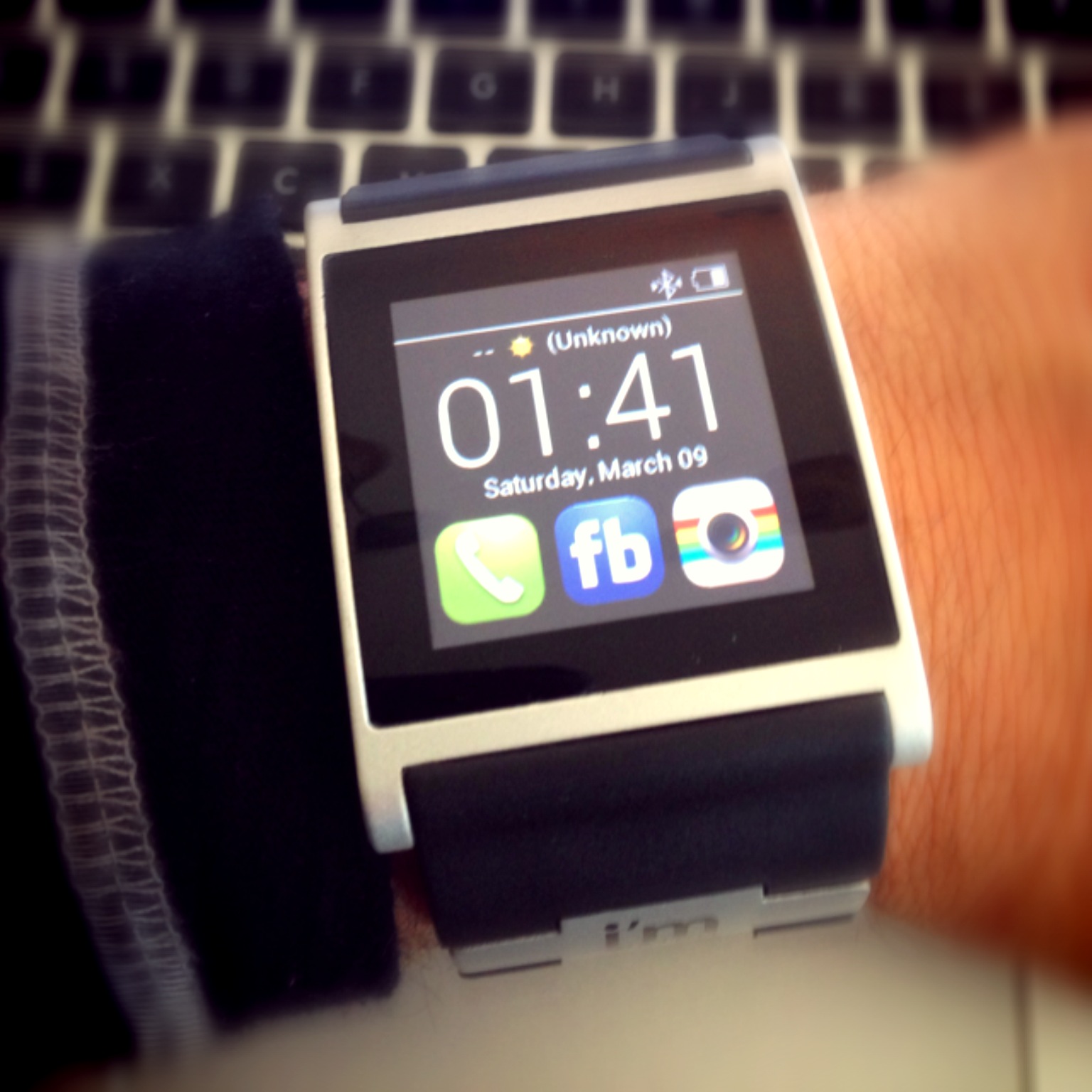
smartwatch-qtooth

Demand for real-time data, including personal health information, is driving the market for wearable, wireless devices that will grow from 14 million items this year to as many as 171 million in 2016. In four years, the market for wearable wireless devices is expected to achieve minimum revenues of $6 billion, according to new research from IHS iSuppli subsidiary IMS Research.

Smart wearable device market to boom. A $6 billion market in 2016 is our most conservative forecast which assumes that the adoption of wearable technology will be limited by factors including lack of suitable technology, poor user compliance and lack of an overall enhanced experience from devices that are wearable as compared to non-wearable products,” said Theo Ahadome, senior analyst at IMS Research. The majority of wearable devices are concentrated around a few products mainly for healthcare and wellness applications, such as glucose and heart rate monitors.

In the future, devices for personal entertainment and military use will increase dramatically. For example, the introduction of Google’s Smart Glasses and the rumoured Apple Smart Watch” will be part of a new wave of wireless wearable devices. Sleep sensors, hand-worn terminals, and industrial and military head’s up displays — transparent screens that provide data and are attached to helmets — will provide users with actionable data, leading to even more rapid expansion in the market for wearable technology.

Most wearable, wireless devices today are used to transmit vital signs or to track user exercise performance or fitness metrics. Dominating the market are continuous glucose monitors, such as devices from Abbott and Medtronic, and activity monitors, such as those from Fitbit, Adidas miCoach and Nike Fuelband. Fitness and heart-rate monitors from Garmin, Polar and Suunto are also market leaders, Ahadome said.

The US Federal Communications Commission recently approved a Medical Body Area Network MBAN radio spectrum for use in hospitals. The MBAN spectrum first is expected to be used in hospitals, but over time, medical instrument vendors say MBAN devices could be used at home, where 80% of health care services are delivered.Unlike traditional medical telemetry systems, which require separate links for each function being monitored, wireless MBAN systems could monitor all required functions and then aggregate the results and transmit them to a remote location for evaluation. The data could be uploaded to private clouds within hospital data centers and also to public cloud providers, such as Microsoft’s HealthVault.While medical wireless devices and their data will be regulated under HIPAA the Health Insurance Portability and Accountability Act, one problem with consumer-grade wearable devices is that the information will likely be sent over unsecured networks to public cloud service providers.For example, consumers may upload workout and sleep monitoring data into online personal health records. “You don’t necessarily want many applications in different places, but in one centralized place,” Adhadome said. “Personal fitness records will be cloud based. It becomes a free-for-all in terms of where your data goes.”

Last year, the amount of information created and replicated surpassed 1.8 zettabytes 1.8 trillion gigabytes, growing by a factor of nine in just five years, according to IDC’s Digital Universe study.While 75% of the information in the digital universe is generated by individuals, less than one-third of all stored data today has even minimal security or protection. Only about half the information that should be protected is protected at all, IDC stated.

via Techworld.com

[easyazon_block add_to_cart=”default” align=”left” asin=”B007L3O4BA” cloaking=”default” layout=”left” localization=”default” locale=”US” nofollow=”default” new_window=”default” tag=”uneomediacom-20″]

[easyazon_block add_to_cart=”default” align=”left” asin=”B007X72DVW” cloaking=”default” layout=”left” localization=”default” locale=”US” nofollow=”default” new_window=”default” tag=”uneomediacom-20″]

[easyazon_block add_to_cart=”default” align=”left” asin=”B00892N53U” cloaking=”default” layout=”left” localization=”default” locale=”US” nofollow=”default” new_window=”default” tag=”uneomediacom-20″]

Filed Under: News, Wearable

Motorola Rolls Out First Ad for Moto X Smartphone

2013-07-04

Motorola has set a patriotic tone for its Moto X smartphone campaign, the company’s first since being acquired by Google last summer.

“What we are doing which is very different is assembling [Moto X smartphones] here in the U.S. in our assembly plant in Fort Worth, Texas,” Brian Wallace, Motorola’s VP-global brand and product marketing, said. “What better time than July 4th to come with a message like that?”

Motorola Assembled in USA - QTOOTH

The ad will run as a full-page spread in the July 3 editions of The New York Times, USA Today, The Wall Street Journal and Washington Post, Motorola said. It’s Motorola’s first ad for its Moto X smartphone, and the copy and timing emphasize the re-branded company’s emphasis on freedom.

Behind it was Motorola’s new creative agency of record is independent shop Droga5, which won the business without a pitch. Assisting on the creative and strategy for the campaign will be Publicis Groupe’s Digitas.

Moto X will be “the first smartphone that you can design yourself,” the copy says. It promises that users will be able to design phones as unique as their personalities.

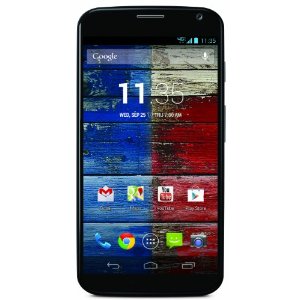
motorola-moto-x-qtooth

“Smartphones are very different than other tech products a consumer owns,” Mr. Wallace said. “They’re closer to shoes or a watch. You carry it with you everywhere you go. Everyone sees what phone you’re carrying and they judge you on it. Yet it’s the one thing you carry that’s the least customizable.”

Mr. Wallace declined to comment on which Moto X aspects will be available for personalization, and the ad doesn’t show the phone, but that its part of injecting what he called a “Googley attitude” into the company’s operations and brand image. The emergence of a (literally) colorful new Motorola started when the company debuted its new logo last week.

Motorola wants to do with phones what Google did with search, Mr. Wallace said.

The smartphone’s marketing will emphasize old-fashioned American patriotism. The ad touts Moto X as the “first smartphone designed, engineered and assembled in the USA.” Some Moto X components will be created abroad, but final assembly will occur domestically, Mr. Wallace said.

The tagline for Moto X is “Designed by you. Assembled in the USA.” Mr. Wallace said that while that may change as the campaign progresses, subsequent work will be in the same vein.

via Digital – Advertising Age.

[amzn_product_inline asin=’B004ZSGAMU’]

[amzn_product_inline asin=’B005FPT380′]

[amzn_product_inline asin=’B00DQFNAC6′]

Filed Under: Mobile, News

Apple Applies to Trademark ‘iWatch’ Name in Japan

2013-07-03

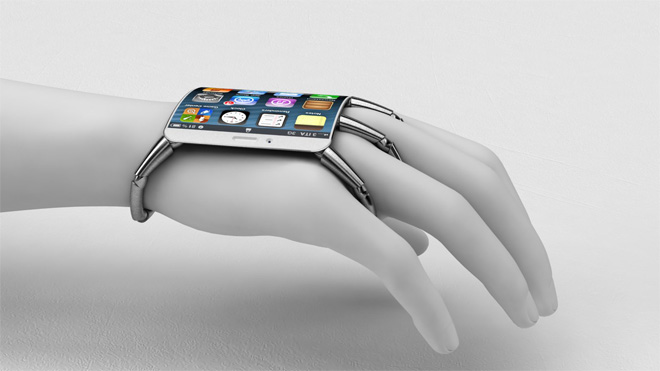
apple-iwatch-qtoothApple has filed an application to trademark the “iWatch” name in Japan, the first known patent application for the name in any country. The application was filed early last month but was not announced until last week. It has not yet been approved.

The patent application may or may not signal that Japan will be first to get an Apple iWatch, but there are compelling reasons for Apple to focus on Japan when it comes to wrist wear. According to Digital Luxury Group, about 50% of Japan’s online searches for luxury watches came from mobile phones in 2011, versus 17% of all searches worldwide for luxury watches. So many Japanese buyers of high-end watches are already very comfortable with mobile devices. And Japan is a major exporter to China, which has become the world’s top market for luxury watches.

Japan’s Sony has already launched a SmartWatch, which is compatible with Android phones, and last month it upgraded its product offering with the SmartWatch 2, which features more apps, a high-resolution display, longer battery life, and NFC. NFC (near field communication) enables wearers of the watch to share data with the Android smartphones by tapping the watch to the phone.

The other major connected wristwatch on the market is Pebble, made by a Kickstarter company which raised an unprecedented $10 million dollars in one month. Pebble is a Silicon Valley startup that manufactures its watches in China. They run Android and iOS apps. Until now Pebble watches have only been available online, and buyers have to pre-order and wait for their watch to ship. But today 9To5Mac reported that the Pebble watch is coming to Best Buy stores as soon as this weekend.

Nike also makes a smart watch, the Nike FuelBand. Apple CEO Tim Cook wears a FuelBand, which uses sensors to track a user’s movement throughout the day and report on their activity level.

via RCR U.S. Wireless News.

[amzn_product_inline asin=’B004FEEZMQ’]

[amzn_product_inline asin=’B009W8YQ6K’]

[amzn_product_inline asin=’B0013FRNKG’]

Filed Under: Featured Content, News, Wearable

  • « Go to Previous Page
  • Page 1
  • Interim pages omitted …
  • Page 20
  • Page 21
  • Page 22
  • Page 23
  • Page 24
  • Interim pages omitted …
  • Page 29
  • Go to Next Page »

Primary Sidebar

Affiliate Disclosure

This website uses affiliate programs for monetization. At no additional cost to you, links to various sites mentioned in posts may result in a commission that is credited to this site if you make a purchase.

Some affiliate programs and affiliations include, but are not limited to, Commission Junction, Apple, Google, Amazon.com and more.

For complete details
click here.

Copyright © 2026 · Preferred Hosting by WP Engine and Domain Name Registry by Namecheap

We are using cookies to give you the best experience on our website.

You can find out more about which cookies we are using or switch them off in .

QTOOTH
Powered by  GDPR Cookie Compliance
Privacy Overview

This website uses cookies so that we can provide you with the best user experience possible. Cookie information is stored in your browser and performs functions such as recognising you when you return to our website and helping our team to understand which sections of the website you find most interesting and useful.

Strictly Necessary Cookies

Strictly Necessary Cookie should be enabled at all times so that we can save your preferences for cookie settings.

3rd Party Cookies

This website uses Google Analytics to collect anonymous information such as the number of visitors to the site, and the most popular pages.

Keeping this cookie enabled helps us to improve our website.

Additional Cookies

This website uses the following additional cookies:

(List the cookies that you are using on the website here.)