• Skip to primary navigation
  • Skip to main content
  • Skip to primary sidebar

QTOOTH

News & Reviews for Living with Bluetooth Wireless

  • Reviews
    • Wearable
    • Gaming
    • Health & Fitness
    • Home & Office
  • How To Tips
  • Industry News
  • About QTOOTH

Home & Office

WearableTech Conference Tomorrow: PLT Labs, CSR, and More!

2013-12-09

QTOOTH is headed to the Wearable Tech Conference tomorrow where we’ll be checking out all of the latest in gear and innovation from the developers and companies who make it all possible. There’s still time to get discount tickets if you are interested in going. As media sponsor of the event, QTOOTH has a line on discounted tickets to the event which you can find by clicking here.

We’ll be getting hands-on experience with innovations from CSR, Pivothead, Revolutionary Tracker, HzO, Ellisys, Freescale, Clothing+, Sensoplex, and more.  We’ll be tweeting and posting live from the conference as much as possible.. We’ll also be doing a lot of follow up articles here on QTOOTH.COM, so stay tuned!

We’re really looking forward to getting  chance to have a sit down with Mike Holmlund, software product marketing manager at Plantronics, and learn all about the Concept 1 Project that is coming out of PLT Labs, Plantronics research division. Check out the video below that lays out the basics of the how this device works. Dubbed “Google Glass for your ears”, we think that this type of device might find more rapid adoption than smart glasses or watches.

What do you think? Do you have any questions you’d like us to ask the folks at PLT Labs when we meet up with them at the Wearable Tech Conference?


Please Note: The following headsets are not the Concept 1. The Concept 1 is yet to be introduced to the market. But hey, if you’re looking for one of the best Bluetooth headsets on the market from a company who has been at it longer than just about anyone, check them out!

[amzn_product_inline asin=’B00DQ5NU76′]

[amzn_product_inline asin=’B005IMB5NG’]

[amzn_product_inline asin=’B0000CEPC8′]

Filed Under: Home & Office, Mobile, News, Wearable

The Fastest Way to Join the Internet of Things? Belkin WeMo Home Automation

2013-12-04

Do you want to take advantage of the Internet of Things today? The Belkin WeMo Home Automation line of products is perhaps the easiest and fastest way to do it.

You may know Belkin for making great consumer accessories, however the majority of their business is probably that of being a supplier the electronics and electrical industries. for many decades. I know that as a lifelong musician, getting a guitar or microphone cable that featured Belkin components was always a good sign. So it was with interest that we had a chance to use the Belkin WeMo Home Automation family of products. In particular, the WeMo Switch,  Insight Switch, and WeMo Light Switch.

We’ve seen many reviews of these, including the ones on Amazon. Most people are thrilled with their performance and ease of use. A few people have reported issues with setting up the devices initially. From what I can glean from these frustrations, it is either because the person didn’t understand the requirement necessary for proper installation or they didn’t allow the devices to automatically update themselves first to the latest firmware before attempting to use them. From my point of view there is not much that can be done about those cases. Whether on a retail website like Amazon or on Belkin’s own website, great care has been made to alert consumers about how to use them. I’m not sure how much more Belkin can do. There will always be people who just won’t read a manual or watch a video no matter how simplified and accurate they may be.  That said, I found the Belkin WeMo Home Automation line of products easy to set up and consistently performed as advertised. Here’s a look at the big three that I’ve used in the series:

Belkin WeMo Switch

belkin-wemo-switch-qtoothThe Belkin WeMo Switch is the most simple device in the series. Looking like a single outlet plug adaptor, you simply plug it into your wall outlet and then plug whatever device you want to control into the WeMo switch. Setting it up to communicate with my home WiFi network was pretty routine and the instructions on how to do so were quite clear. Then, using the free app that is available for the iPhone, I was able to remotely power the outlet on and off, thereby turning the floor lamp that was plugged into it on and off. Voila! Simple. As long as my house has power, the WiFi is turned on, and I have my cell phone, this can be done from virtually anywhere in the world. There are also options to program when there is power to the outlet by using the app’s scheduler. Perfect if I want to automate lights to turn on or off when I’m away on vacation or if I want to turn the lights on from my car before I come into the house (handy when carrying armloads of groceries).

Of course this can be used with any device that plugs into the wall, stereos, TVs, space heaters, coffee maker, holiday lights, air conditioners, etc…  Limited only by your imagination.

Belkin WeMo Light Switch

http://www.youtube.com/watch?v=27GI-X-IXaQ

belkin-wemo-light-switch-qtoothThe Belkin WeMo Light Switch is probably the second most popular unit in the series. It takes a bit more to use because it actually requires replacing your current light switch. This involves a bit of know-how when it comes to wiring, If you are not comfortable with this, and fear the risk of getting shocked with the full electrical current from your house’s wiring, you should really look into hiring a professional. Or, at the very least, ask your more tech or handy-oriented friend or member of the family. Since I grew up in a house full of master tradesmen, this was a piece of cake for me. The Belkin WeMo Light switch is perfectly designed to replace the stock light switch in the majority of cases. There are two tips that Belkin tries very hard to make clear: the wiring in your wall MUST have a neutral wire and you should use the included faceplate if the current one is made of metal. This last tip is there because a metal faceplate might block the wireless WiFi signal. Makes sense! Once installed, these work great and can be overridden remotely at anytime. No need to worry if you last left the switch in a certain position that might inhibit remote access.

Belkin WeMo Motion

http://www.youtube.com/watch?v=hxEI_Wrkz9k

belkin-wemo-motion-sensor-qtoothThe Belkin WeMo Motion is a motion detector that hooks into one of their WeMo Switches. That said, the first tip would be to make sure you understand that the WeMo Motion will NOT work without buying a WeMo Switch to go with it. Luckily they are mostly sold a s apackage deal and it is likely that you’ll end up with exactly what you need. Besides that, there are plenty of uses for this and I found that it worked really well. Great for security purposes, it can also be used so that environmental controls or entertainment devices can cycle on and off as you move room to room.

Although I haven’t tried them, there are other members of the Belkin WeMo Home Automation family. There is the WeMo Insight Switch that allows you to track your electrical usage per outlet and the WeMo Baby that acts as an update on the classic baby monitor.

belkin-wemo-phone-app-qtoothAll of this is pretty powerful stuff and can all be controlled on either an iOS device or an Android device using Belkin’s free apps. I find the aesthetic design of these to be spot on and should meld well with just about any decor. Conclusion? Love it, and am looking forward to maybe hacking a few of these for my own nefarious IoT (Internet of Things) purposes. Especially when by writing a few controller scripts on IFTTT. Mwahahahahaha…!

[amzn_product_inline asin=’B00BB2MMNE’]

[amzn_product_inline asin=’B00DGEGJ02′]

[amzn_product_inline asin=’B0089WFPRY’]

Filed Under: Featured Content, Home & Office, Reviews

Logitech UE Boombox Review: The Bluetooth Wireless Speaker by Which Others are Judged?

2013-08-23

[youtube=http://youtu.be/N32vDMxWtTI]

The Logitech UE Boombox

Straight up, no-frills. It just works. There’s a reason why this Bluetooth wireless speaker is often used as the reference point by which other products on the market are judged.

So just what does the “UE” in the name Logitech UE Boombox mean? Logitech purchased the company Ultimate Ears (UE) a while back and it is through this collaboration that they were able to start turning out some great audio products.

The $250 Logitech UE Boombox has been designed from the ground up to support four internal drivers and four custom tuned passive drivers. Apparently its appearance was inspired by the legendary designer Dieter Rams from Braun and by Jonathan Ive of Apple fame. Who knew? It definitely exhibits a certain elegance, a logical layout to the controls, and simplicity of use.

logitech-ue-boombox-main-view-qtooth

Construction

Constructed of brushed aluminum and featuring a sculpted handle, the Logitech UE Boombox is definitely made to be ready-to-go. The stainless steel grill and the rubber feet should help make this portable speaker fairly ding resistant, but in general you might be better served to put it in a backpack, bag, or some type of carrying case. Some competitors supply their wireless speakers with some type of protection. It would’ve been nice if Logitech did too. Or at least made one available.

Hooking It Up

The Logitech UE Boombox is made to play music by connecting to a music source such as a phone, mp3 player, or similar device. It does this ether wirelessly through a Bluetooth connection or wired directly using a 3.5mm cable. Pairing a Bluetooth-enabled device is pretty straight forward and similar to most wireless speakers on the market. First, make sure your other device, be it a phone, computer, mp3 player, etc…, is in its discovery mode, then press the large Bluetooth connect at the top of the side control panel. They should find each other pretty easily.

logitech-ue-boombox-control-view-qtooth

Setting the Controls

The controls are very easy to navigate and most people may never need to read the instructions to get what they need out of this device. The control buttons are arranged vertically on the side panels at each end of the boombox. On the left side panel and starting from the top is the Bluetooth Pairing button, then the power switch, then 3.5mm auxiliary input jack to connect external devices, and at the bottom is the power port. The specifications for the rechargeable battery claim a 6-hour lifespan and we found that to be the case. On the right side panel, there are two large volume buttons with clearly marked positive and negative symbols to indicate which one does what function.

A really great feature of this wireless boombox is the fact that it can pair with up to three devices at a time. This means you could connect it to your phone, tablet and computer at the same time and easily switch between each one. Logitech suggests using this feature with friends so that each of you can take turns playing disk jockey from their own device. Hey, why not?

logitech-ue-boombox-carried-by-handle-qtooth

So, How Does the Logitech UE Boombox Sound?

Since Logitech and Ultimate Ears worked together to sculpt the sound of the Boombox the results are far louder than might be imagined for its size. It achieves this by both active speakers and specially tuned porting. The Logitech UE Boombox has a pair of half-inch tweeters that produce a very smooth, detailed treble response. Two 3-inch woofers deliver a tight, full-throated mid range. These feed four, custom-tuned 2.75-inch passive radiators coupled with the rubber casing surrounding them to deliver deeply resonant yet defined bass. It easily competes with Bluetooth speakers like the Bose SoundLink 2 and the Jawbone BigJambox.

Even though the audio is compressed due to the nature of the Bluetooth wireless specification, and this is true for all Bluetooth wireless speakers, the Logitech UE Boombox did a great job in all of the tests we put it through, jamming with everything from hip hop, classical, rock and more. The sound was clear, even when pushing the upper limits of its volume capabilities. And that’s saying a lot, cause this baby gets LOUD.

logitech-ue-boombox-in-use-view-qtooth

Conclusion

So, does it do as well as the Bose SoundLink 2, the reigning top of the heap for this type of device? Not quite, bit since the Bose is pretty much $299 no matter who you buy it from, and the $249 Logitech can often be found for $199, for something that is 2/3rds the price the Logitech UE Boombox comes incredibly close. And that is why the Logitech UE Boombox gets used as the reference point by which to compare the competition. The value versus quality make it undeniable.

[amzn_product_inline asin=’B0094S35QU’]

[amzn_product_inline asin=’B00CM0XHP6′]

[amzn_product_inline asin=’B0090Z3SPU’]

Filed Under: Featured Content, Home & Office, Reviews

Mad Style and Sound with the Beats by Dr. Dre Pill Bluetooth Wireless Speaker

2013-08-10

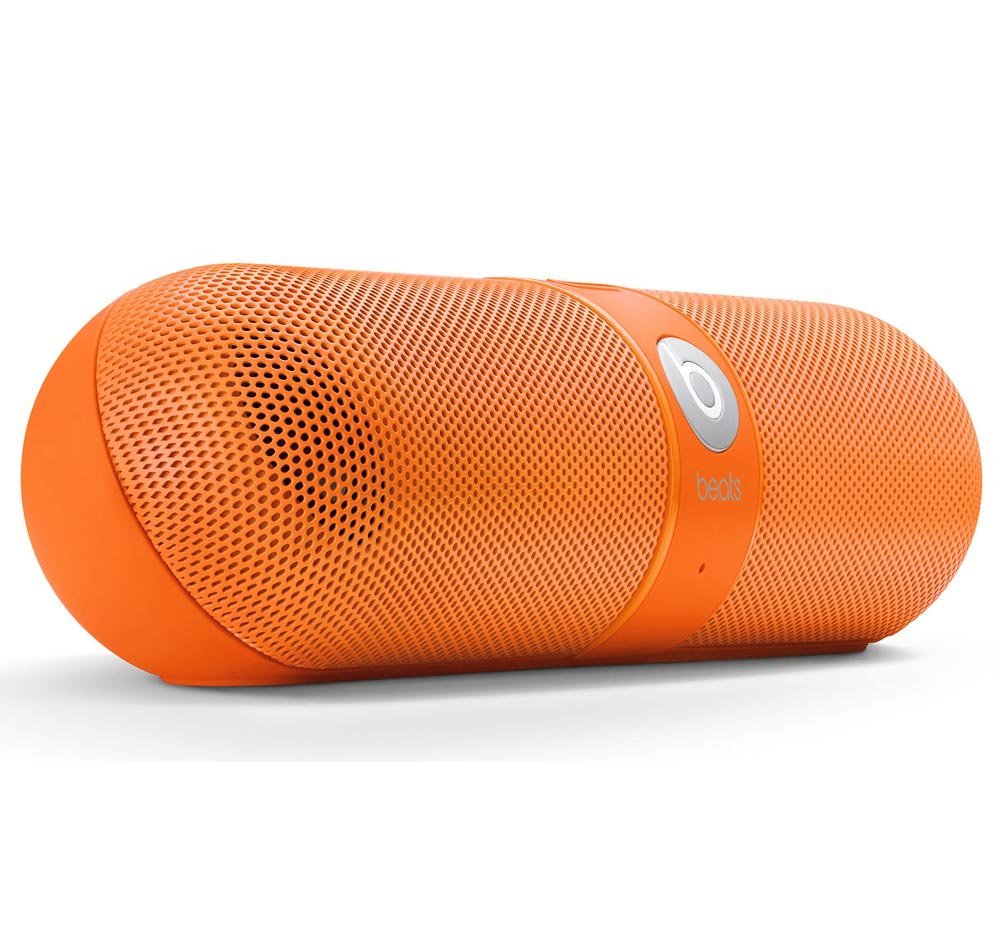
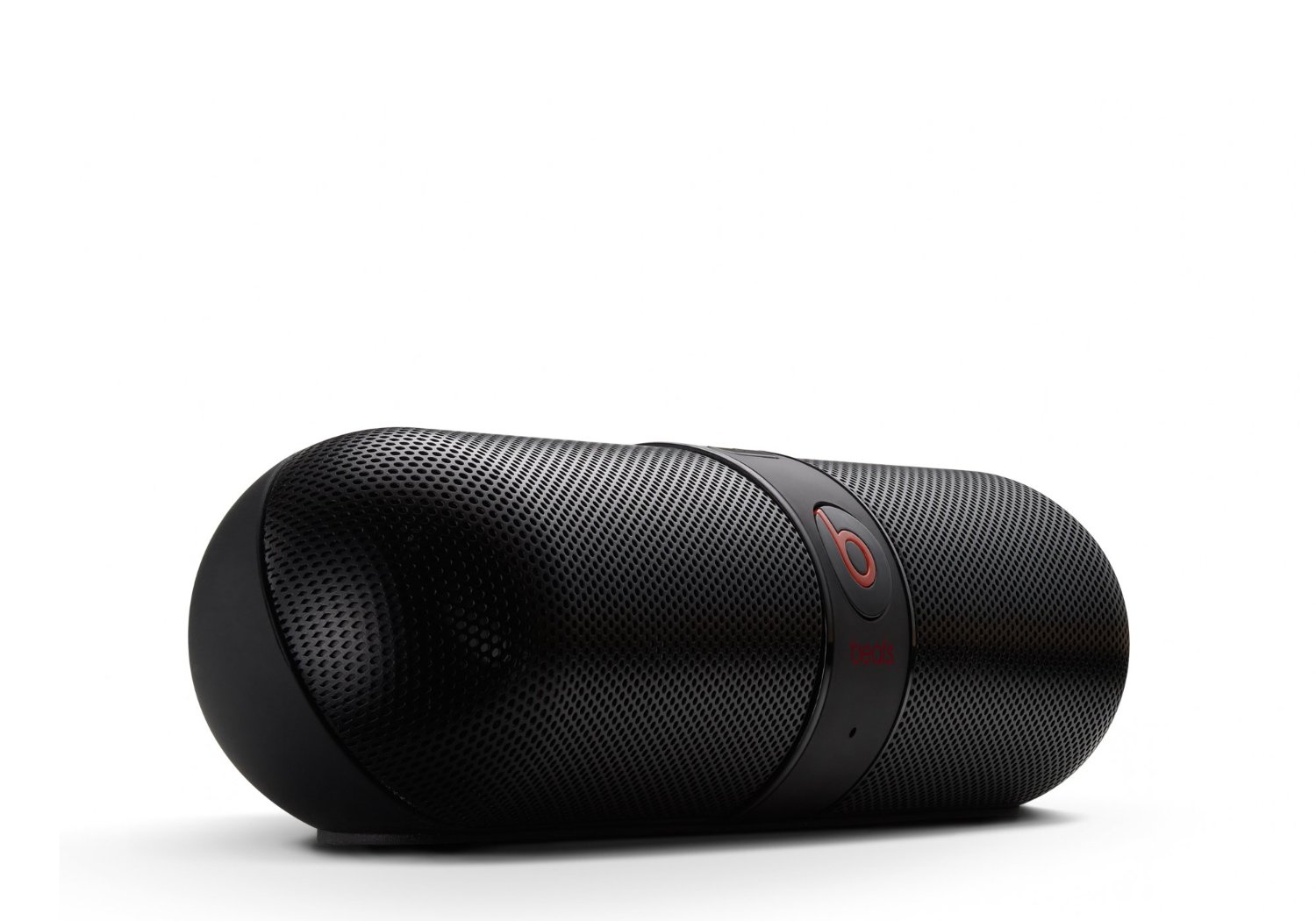
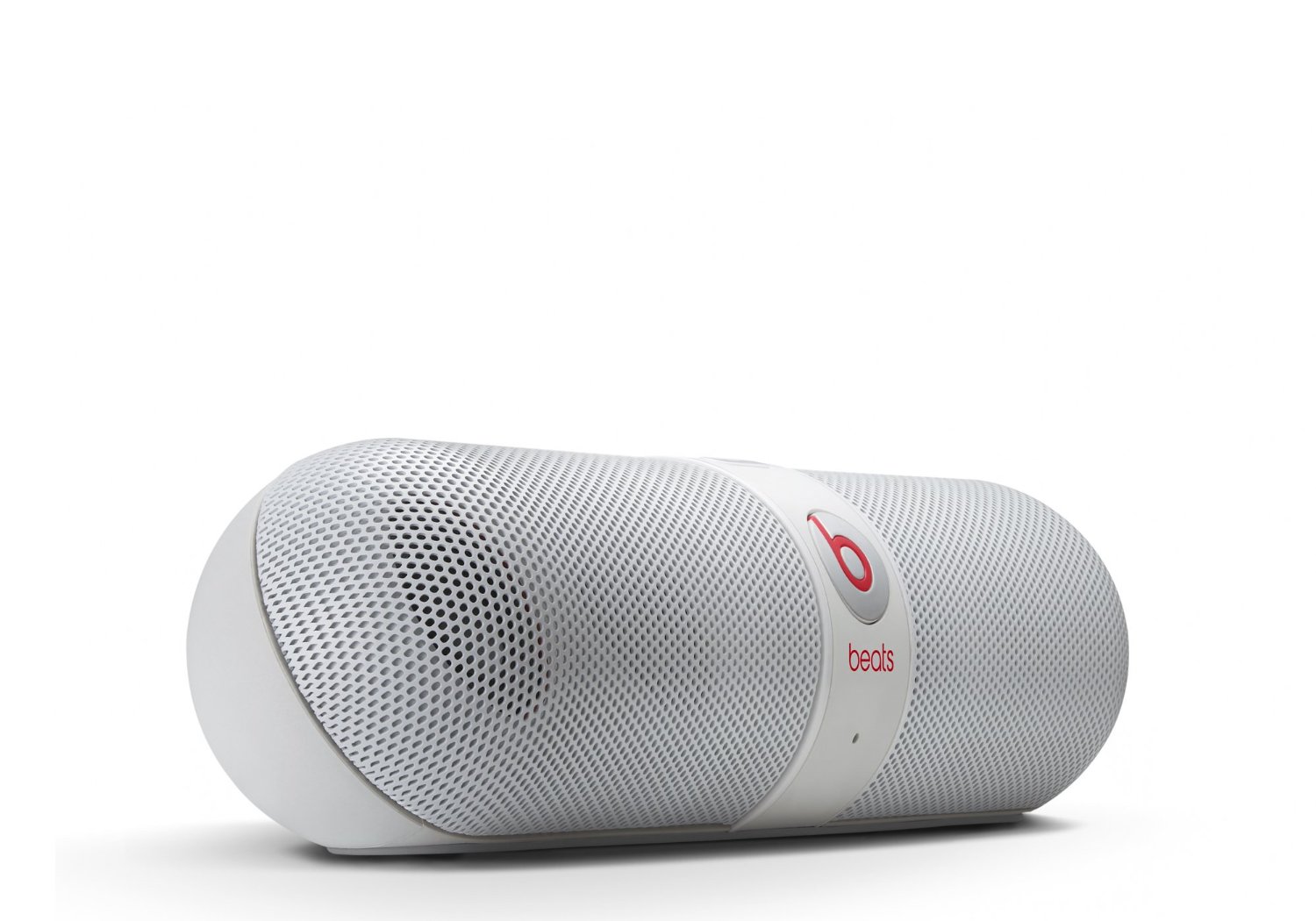
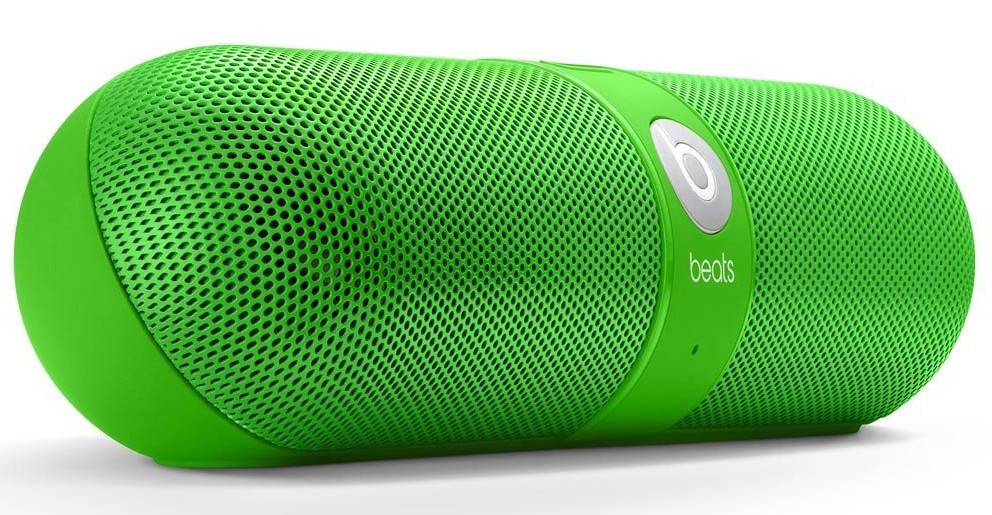
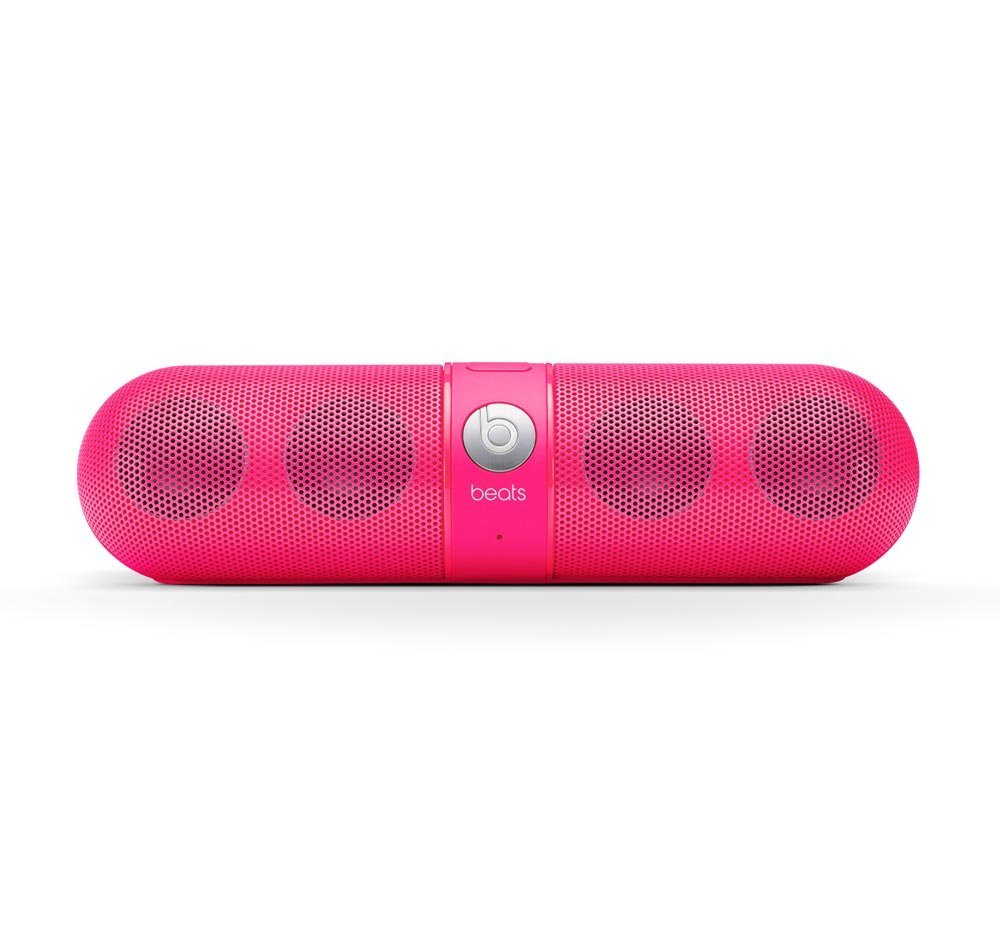
Beats by Dr. Dre Pill Wireless Bluetooth Speaker Green - QTOOTHWhat kid doesn’t like candy? For the kid in us all, Beats by Dr. Dre has brought us the Pill Bluetooth Wireless Speaker in an array of candy colors. Not only is it a powerful, compact speaker for listening to music but it also works as a speaker phone to make calls hands-free using any Bluetooth compatible phone. It is pretty impressive how much sound a lot of these type of devices get (take a look at the Jawbone Jambox, Cambridge SoundWorks Oontz, JBL Micro or Flip,etc…) considering how small they are.  The Pill is truly wireless. Sound is provided by hooking up any Bluetooth compatible audio device, like a phone/mp3 player/tablet/laptop,  and, because it runs on a rechargeable battery that can last up to 5-7 hours, it is cord-free. For some reason all of the manufacturers for these types of devices want to make them look HUGE. However, once you see them in person you realize just how small they are. The Pill is lightweight  and can literally be tucked in a cargo  pocket or a backpack. It even comes with carabiner clip on its carry case so you can attach it to your backpack. Here’s a decent representation of how big it really is (and this person’s hand is prety small):

Nicki Minaj Beats by Dr. Dre Pill Wireless Speaker Pink Limited Edition - Qtooth

[amzn_product_inline asin=’B00C9THROW’]

Even though there are a lot of similarities in this crowded field of competitor’s there are a few features that set it apart:

The Pill Bluetooth Wireless Speaker features NFC, otherwise known as Near Field Communication, which is a form of very low power wireless that allows you to simply tap your phone on the speaker and it have it automatically connect, or pair, via Bluetooth. Can’t get much easier than that. It does require an NFC capable phone, however. Most of the recent Android phones have it, unfortunately the iPhone doesn’t…yet. Rumor has it that the iPhone 5s or 6, or whatever it will ultimately be called, is supposed to have it. We here at QTOOTH sure hope so. We’ll see!

The Pass-through Audio feature means that the Pill has both in and out jacks. So even without an NFC/Bluetooth device you can still hook up your computer or other audio source with a cable. This also means that the audio out can make any audio system into a Bluetooth sound device. Leave it plugged in to your home stereo system and stream music from your phone, laptop or tablet. This is a massive plus when comparing the Pill to the competition.

The Pill can also act as a speaker phone capability and does it with an ease that is missing from other models. One button does it all when it comes to a call. If you are listening to music and a call comes in you the option to answer it with through the Pill. Tap the ‘b’ button on the front the answer. If another call comes in while you are still on the first call, tap and hold to ignore or tap quickly to switch to the new call. Switch back and forth between the calls with another button tap or hang up with a sustained press of the button.  The calls quality was very clear without a lot of shouting or ambient noise.

And did we mention the riot of colors this comes in? The light pink one pictured above is a limited edition Nick Minaj version. All of the other colors for the Pill Bluetooth Wireless Speaker are pictured below.


[amzn_product_inline asin=’B00CJGB9DU’]

[amzn_product_inline asin=’B00CJGATTA’]

[amzn_product_inline asin=’B00CJGAV0W’]

[amzn_product_inline asin=’B00CJGAZPS’]

Black

[amzn_product_inline asin=’B008FQMUYK’]

White

[amzn_product_inline asin=’B008FQMW3E’]

Filed Under: Entertainment, Featured Content, Home & Office, Mobile, Reviews

PetziConnect – A Wireless Remote Camera & Treat Dispenser For Pet Owners

2013-08-09

petziconnect-dog-qtooth

Pet owners have gone boffo crazy for gadgets that allow them to remotely monitor and care for their pets. How modern! Taking advantage of this developing mania, err… we mean need, is Petzila who has created the PetziConnect wireless monitor. It includes not only a wireless HD camera and microphone but also a dispenser that will provide treats for your pet when triggered remotely.

Where other devices, like the FitBark or the Tagg Pet Locator are more for tracking either the fitness or the location of your pet, the PetziConnect allows you to interact with your pet even while you are at another location, like work, school, vacation, etc…

petziconnect-box-front-side-back-qtoothUsing the camera and microphone allows pet owners to remotely summon their furry four-legged family member from their mid-day nap and then watch as they react to the disembodied voice of their master coming out of a box plugged into the wall. The PetziConnect can also record video or take photos. The owner then has the option to reward their feigned interest by dispensing a treat using a button on either the iOS or the Android app or through the internet.

Petzila was seeking funding on Indiegogo to manufacture the first batch of its wirelessly connected pet monitor/treat dispensers but easily passed its crowdfunding $30,000 goal. And in case you were wondering, PetziConnects says its device is made rugged enough to survive being mauled by a frenzied pet hoping to get more treats or to liberate its owner from inside the box. The lowest price-tag for crowdbackers to purchase a device is $99 and is scheduled for a December delivery.

In the meantime, check out all of the alternatives that are already available in the links below.

[vimeo http://vimeo.com/69582864]

[amzn_product_inline asin=’B006ZP8UOW’]

[amzn_product_inline asin=’B0077I42S4′]

[amzn_product_inline asin=’B001COT8LU’]

[amzn_product_inline asin=’B003WF0LDG’]

Filed Under: Featured Content, Home & Office, News

Twine: The Wireless Sensor That Monitors Your Life and Alerts You – Wherever You Are

2013-07-12

So here’s the scenario:
You’re at work, on vacation, goofing off on holiday… but you have that nagging feeling that the relentless rainstorms back home might be finally adding up to enough to flood your basement. Again. Although you can’t see it, things are happening pretty much exactly as you fear is starting to look like this:

Twine Monitoring System - QTOOTH

Not so bad you think? EXACTLY! It’s just starting to come into the basement. Luckily you have a Twine wireless sensor unit ready to detect the state of things and it sends you a lovely notification through text, email, tweet, etc… Like so:

TWine Sensor Alert on iPhone - QTOOTH

Now you can call your family, neighbors, house-sitter, handyman, and make sure things are taken care of BEFORE there’s any real damage from an otherwise avoidable disaster. But wait! The Twine is capable of doing a lot more. And if you are really clever, and one of those home inventor/creative-types, you’re pretty much only limited by your imagination. Here’s the lowdown for Twines own site:

Listen to your home, wherever you are.

Twine alerts you to small problems before they become big problems. Quick Wi-Fi setup and AAA batteries that last up to 3 months let you drop Twine anywhere you want to monitor temperature, vibration and orientation. Additional wired sensors detect floods, leaks, opened doors, and signals from your other home systems. Tell a web app what to listen to with simple rules, and you’ll get notifications and peace of mind via email, SMS, Twitter and more.

How it works

Twine is a wireless sensor block tightly integrated with a cloud-based service. The durable, rubbery block has Wi-Fi, on-board temperature and orientation sensors, and an expansion connector for other sensors. Power is supplied by micro USB or two AAA batteries that will run for up to 3 months (and Twine will email you when you need to change the batteries).

twine-screenshot-qtoothThe Twine web app makes it simple to set up and monitor your Twines from a browser anywhere. You set rules to trigger messages — no programming needed. The rules are put together with a palette of available conditions and actions, and read like normal sentences: WHEN moisture sensor gets wet THEN text “The basement is flooding!”

Because the hardware and software are made for each other, setup is easy. There’s nothing to install — just point Twine to your Wi-Fi network. Sensors are immediately recognized by the web app when you plug them in, and it reflects what the sensors see in real time, which makes understanding and testing your rules easy.

Listen to your world

Talk to the Web

Out of the box, Twine has several internal sensors.

Temperature

Measure the temperature. Are your pipes freezing? Is your air conditioning broken? Is it nice up by the lake today?

Vibration

Sense when Twine starts or stops shaking, with adjustable sensitivity. Know when your laundry’s done, your sump pump starts, or someone’s knocking at the door.

Orientation

Sense which side of Twine is facing up. Trigger actions by flipping Twine over, or detect when the garage or the oven is left opened.

Plug in additional external sensors and they pop up on the web app, ready to use.

External temperature

Measure the temperature where your Twine can’t go. Make sure your freezer or refrigerator is working properly, your grain silo isn’t too hot, or that the weather outside is nice.

Magnetic switch

Triggered when a magnet is moved toward or away from it. Get notified when your door or window is opened, the mailbox is opened, or your dog goes outside.

Moisture sensor

Detect the presence of water. Know when your basement floods, when your AC’s drip pan is overflowing, or when it rained.

Breakout board

Plug in your own digital input without soldering. Terminals for signal, 3.3V power and ground are provided. Connect your doorbell, garage door or other electrical system.

Cloud Shield

The easiest way to make an Arduino talk to the Internet. Add Twine actions to your project, or use Arduino to build custom sensors for Twine.

Twine can contact you in a number of ways.

  • Email
  • Twitter
  • Text message *
  • Phone call (text-to-speech)*
  • HTTP GET and POST requests
  • Put your real-time Twine sensor information in Panic Status Board or your own webpage

* With optional paid account: $5/month for 100 text messages, $9/month for 200 text messages or voice calls.

via Supermechanical: Twine

twine-wireless-sensor-monitor-qtooth

These is one cool unit. We here at QTOOTH can’t wait to get our hands on one. I see these, or similar devices, becoming routine in many homes in the near future. Can you say, “Hey insurance company! How’s about a discount on our home or renter’s policy if we promise to run these?”

[amzn_product_inline asin=’B009YWTPNS’]

[amzn_product_inline asin=’B009YWTNFI’]

[amzn_product_inline asin=’B009YWTOF2′]

Filed Under: Featured Content, Home & Office, Mobile

  • « Go to Previous Page
  • Page 1
  • Interim pages omitted …
  • Page 3
  • Page 4
  • Page 5
  • Page 6
  • Page 7
  • Go to Next Page »

Primary Sidebar

Affiliate Disclosure

This website uses affiliate programs for monetization. At no additional cost to you, links to various sites mentioned in posts may result in a commission that is credited to this site if you make a purchase.

Some affiliate programs and affiliations include, but are not limited to, Commission Junction, Apple, Google, Amazon.com and more.

For complete details
click here.

Copyright © 2026 · Preferred Hosting by WP Engine and Domain Name Registry by Namecheap

We are using cookies to give you the best experience on our website.

You can find out more about which cookies we are using or switch them off in .

QTOOTH
Powered by  GDPR Cookie Compliance
Privacy Overview

This website uses cookies so that we can provide you with the best user experience possible. Cookie information is stored in your browser and performs functions such as recognising you when you return to our website and helping our team to understand which sections of the website you find most interesting and useful.

Strictly Necessary Cookies

Strictly Necessary Cookie should be enabled at all times so that we can save your preferences for cookie settings.

3rd Party Cookies

This website uses Google Analytics to collect anonymous information such as the number of visitors to the site, and the most popular pages.

Keeping this cookie enabled helps us to improve our website.

Additional Cookies

This website uses the following additional cookies:

(List the cookies that you are using on the website here.)